Digital channels are now considered one of the fastest ways to attract leads. However, the speed of processing new leads is still a critical point. When potential clients send their data via Facebook Lead Ads, they expect a prompt response. To avoid losing them, the company must respond as quickly as possible while interest in the offer is at its peak. You can send timely responses by automating SMS delivery to leads after receiving their data. To achieve this, just set up the Facebook and Instasent integration using the SaveMyLeads online connector. In this article, we will tell you how to do it in a few minutes.
Facebook and Instasent Integration: Top-Level Automation
Facebook Lead Ads are a convenient tool for attracting leads. Not having to visit a website simplifies the sign-up process and helps businesses attract more potential customers. However, receiving a lead does not mean getting a customer. It is important to respond to it quickly, while interest in the product or service is at its highest level.
Instasent allows you to automate SMS communication with customers, but this is not enough today. When more time passes between form submission and the lead data reaching the SMS platform than the potential client is willing to wait, the chances of a successful deal decrease rapidly.
Instasent and Facebook integration automates the entire chain of processes, from receiving a lead to sending a notification or message. After a new form submission, the lead data is transferred to Instasent without human intervention. Thus, the risk of human error (such as delays or typos) is eliminated. After that, Instasent sends a pre-prepared SMS message to the potential client. All this happens in a matter of minutes. As a result, the company benefits from a fully automated and significantly accelerated business process, running smoothly from the initial lead receipt to the first contact.
The benefits of implementing Facebook Lead Ads and Instasent automation are best seen in areas where the speed of interaction has a direct impact on conversion:
- The online school quickly sends potential students a link to an announced webinar or to educational materials.
- The real estate agency provides the potential tenants with information about the property that interests them as soon as possible.
- The car dealer automatically notifies the customer of their test drive request and provides information about further steps.
- The fitness club confirms the registration for a trial workout and provides the contact details of a personal manager for consultation.
These are just a few examples. In general, this integration will be useful for any business that uses Facebook Lead Ads to attract leads and Instasent as a communication channel.
For companies with a large volume of leads, this is a must-have tool. Manual processing of prospect data is time-consuming and error-prone, especially under a heavy workload. These issues negatively affect conversion rates. The integration helps minimize both factors.
In addition, automation helps maintain a stable level of customer service regardless of the number of leads. Even if a successful advertising campaign starts bringing in hundreds of new orders every day, the system will transfer data from them at the same speed, without delays or errors.

- Automate the work with leads from the Facebook advertising account
- Empower with integrations and instant transfer of leads
- Don't spend money on developers or integrators
- Save time by automating routine tasks
How to Link Facebook With Instasent
Companies usually put off automation because they think it’s too complicated and time-consuming. It used to be that way, but today online connectors take care of all the technical work. For example, with the help of the SaveMyLeads service, you can set up Instasent and Facebook automation without writing a single line of code in a few minutes.
SaveMyLeads specializes in automating work with leads received from Facebook. This is especially important for companies that actively use advertising on this social network for lead generation. Most of the popular integration scenarios are already prepared here. This allows you to launch automation faster and start receiving its results as quickly as possible.
To set up a no-code Facebook and Instasent connection, the user just needs to connect a working Facebook account to the connector, specify the desired Lead Ads form, also connect an Instasent account, map the data fields to be transferred to the SMS-mailing service, and activate the connection.
It's simpler than it sounds and takes only minutes. Especially if you use step-by-step instructions. So let's not postpone improving sales figures and customer experience and connect Facebook to Instasent right now.
Data Source Settings: Facebook
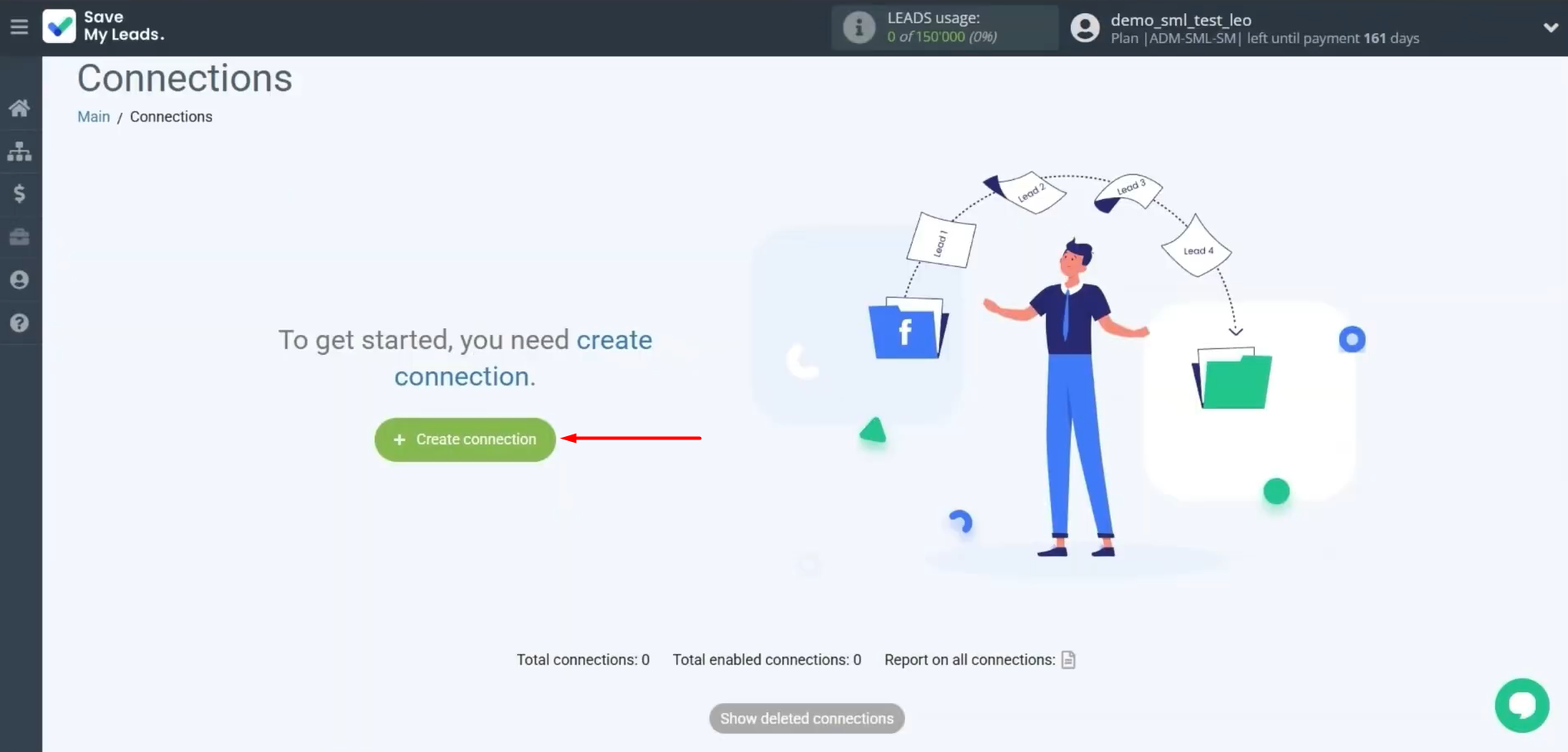
First, you need to create a new connection.
Select the system from which you want to receive new data. In our case, it is Facebook.
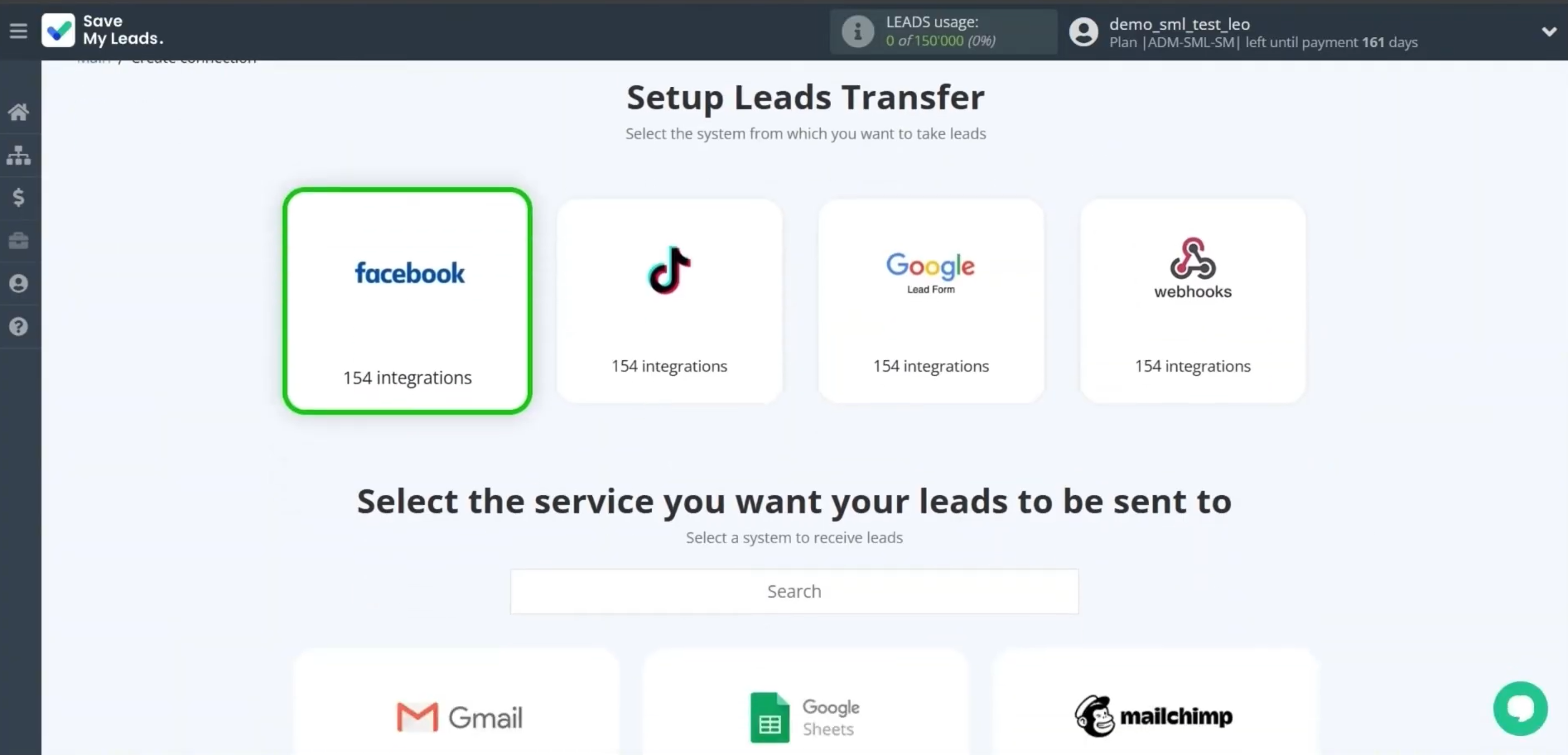
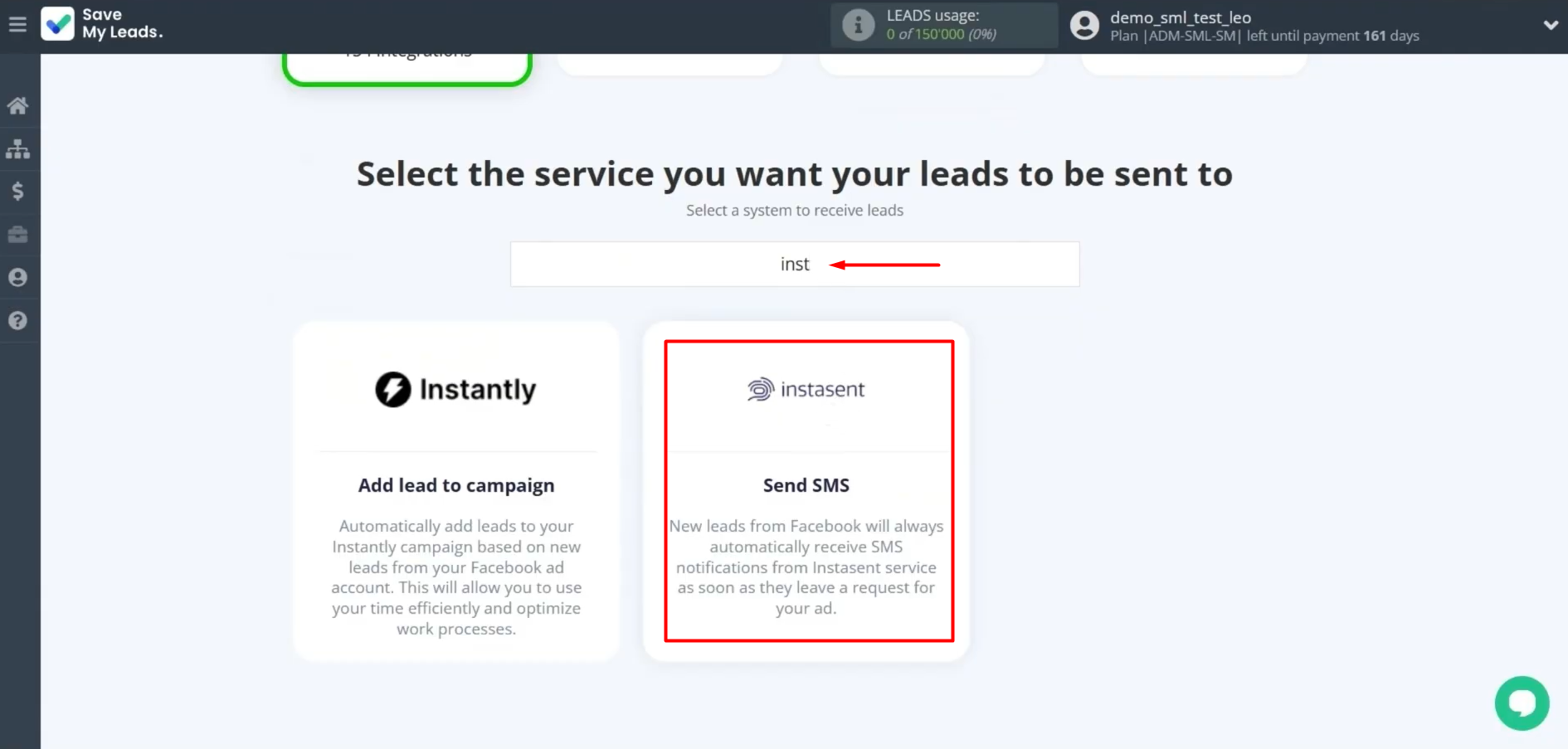
Choose the system where you want to transfer new leads from Facebook. You need Instasent. To find it quickly, you can use the search function. Type the first three to four letters of the system name and select the desired template.
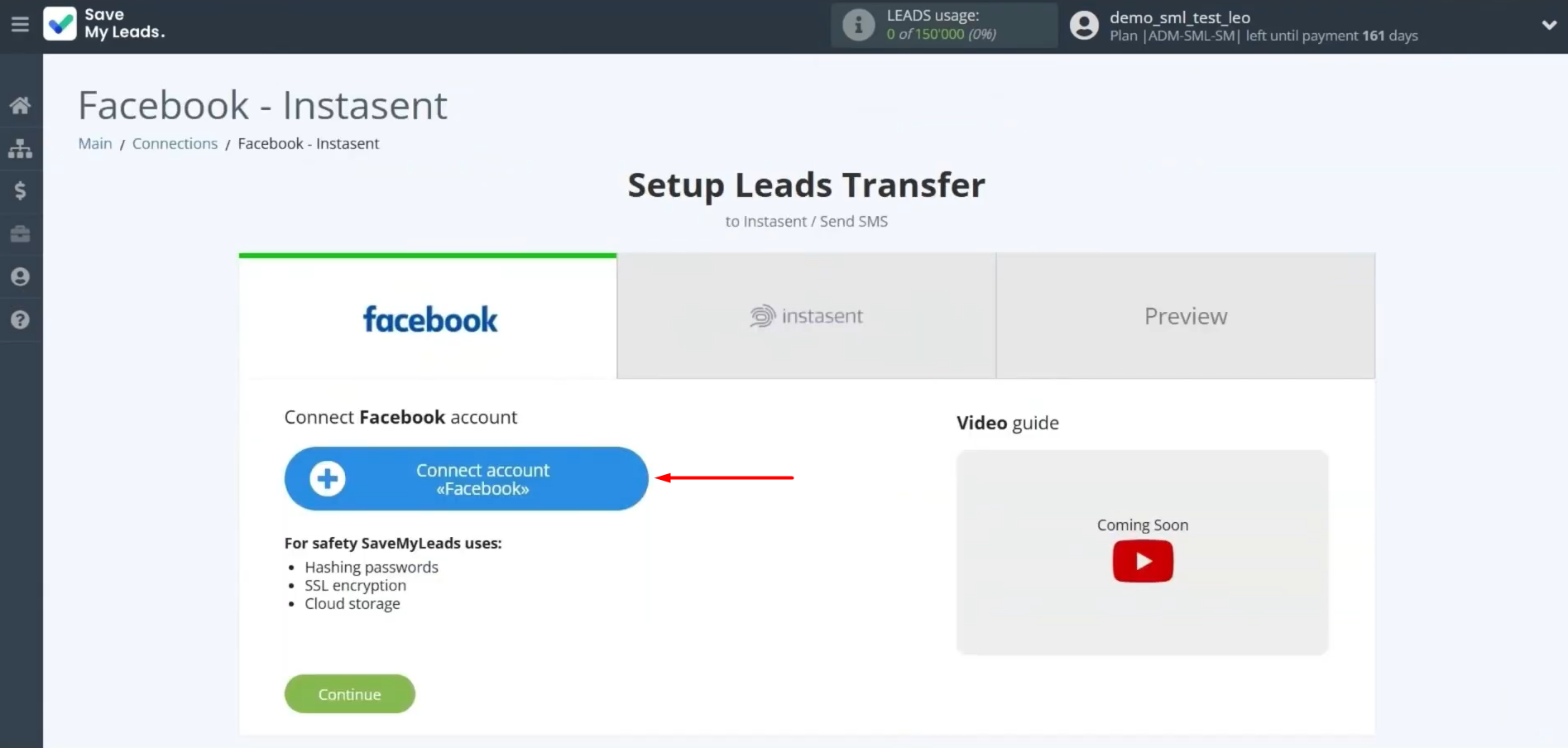
At this stage, connect your Facebook account to SaveMyLeads.
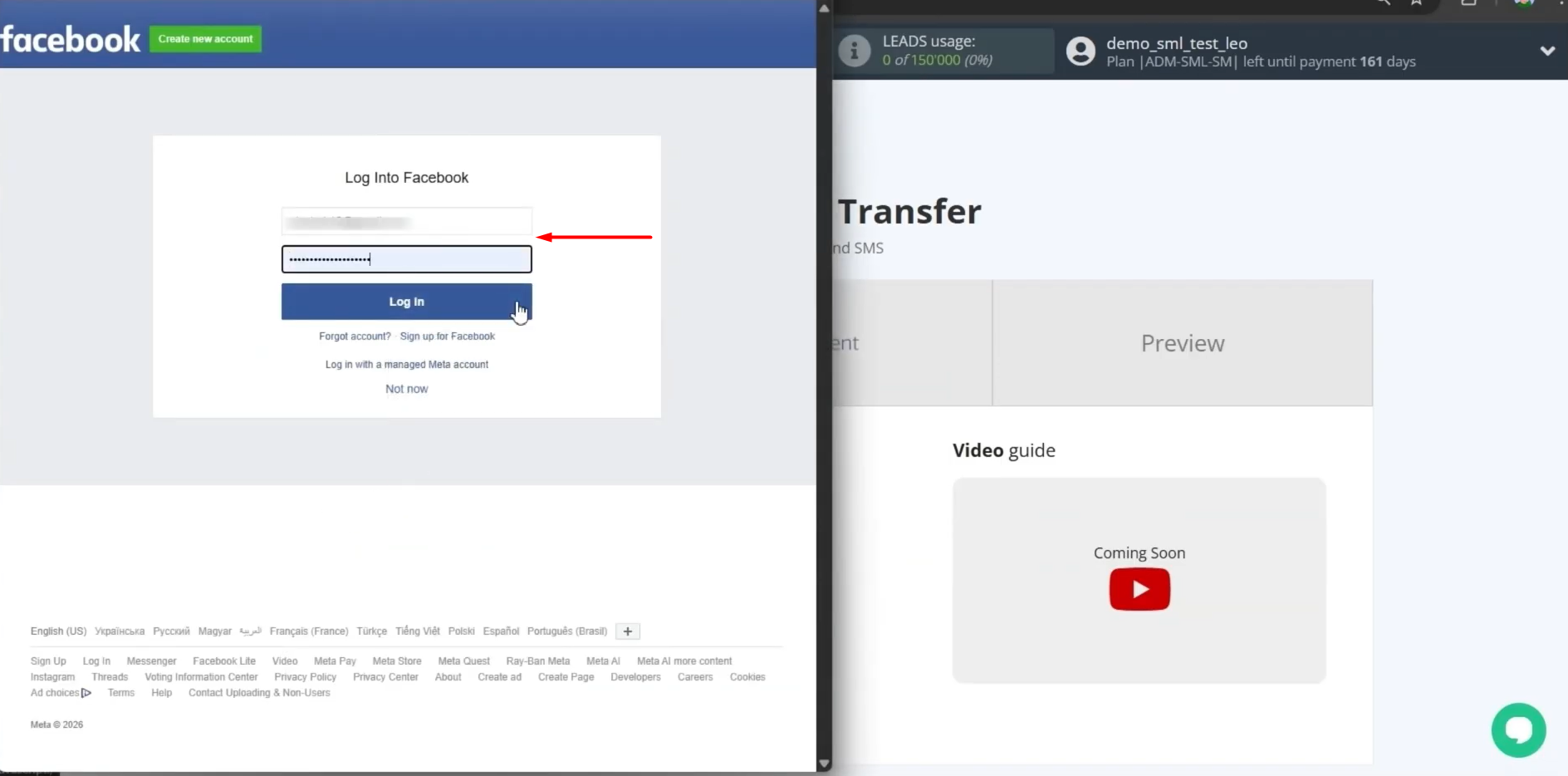
Specify the username and password of your Facebook account and click Continue.
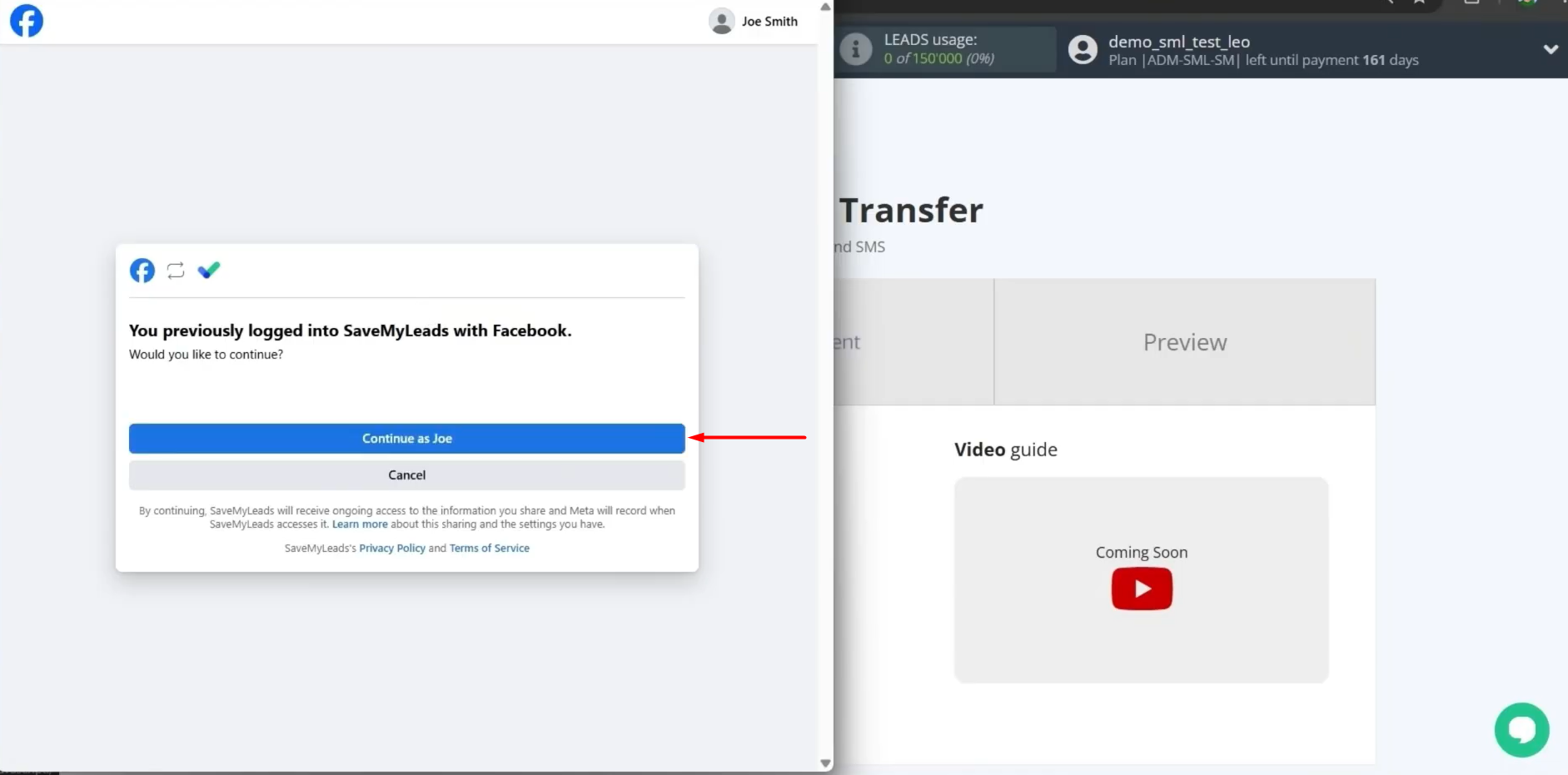
Select the connected Facebook account.
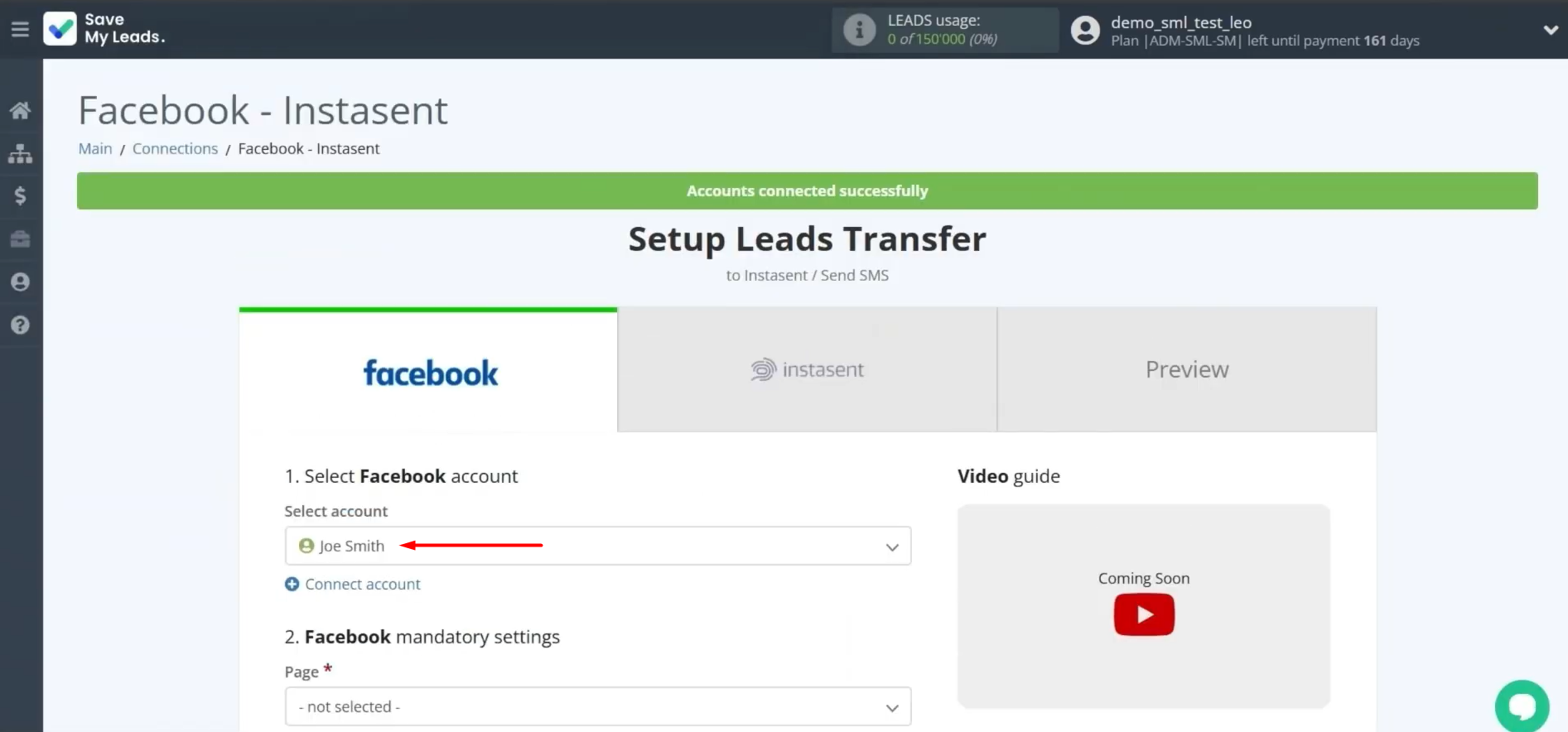
Specify the form that will be used to load the data. If you have multiple forms specified, you will need to create multiple connections for each of them. After selecting the required form, click Continue.
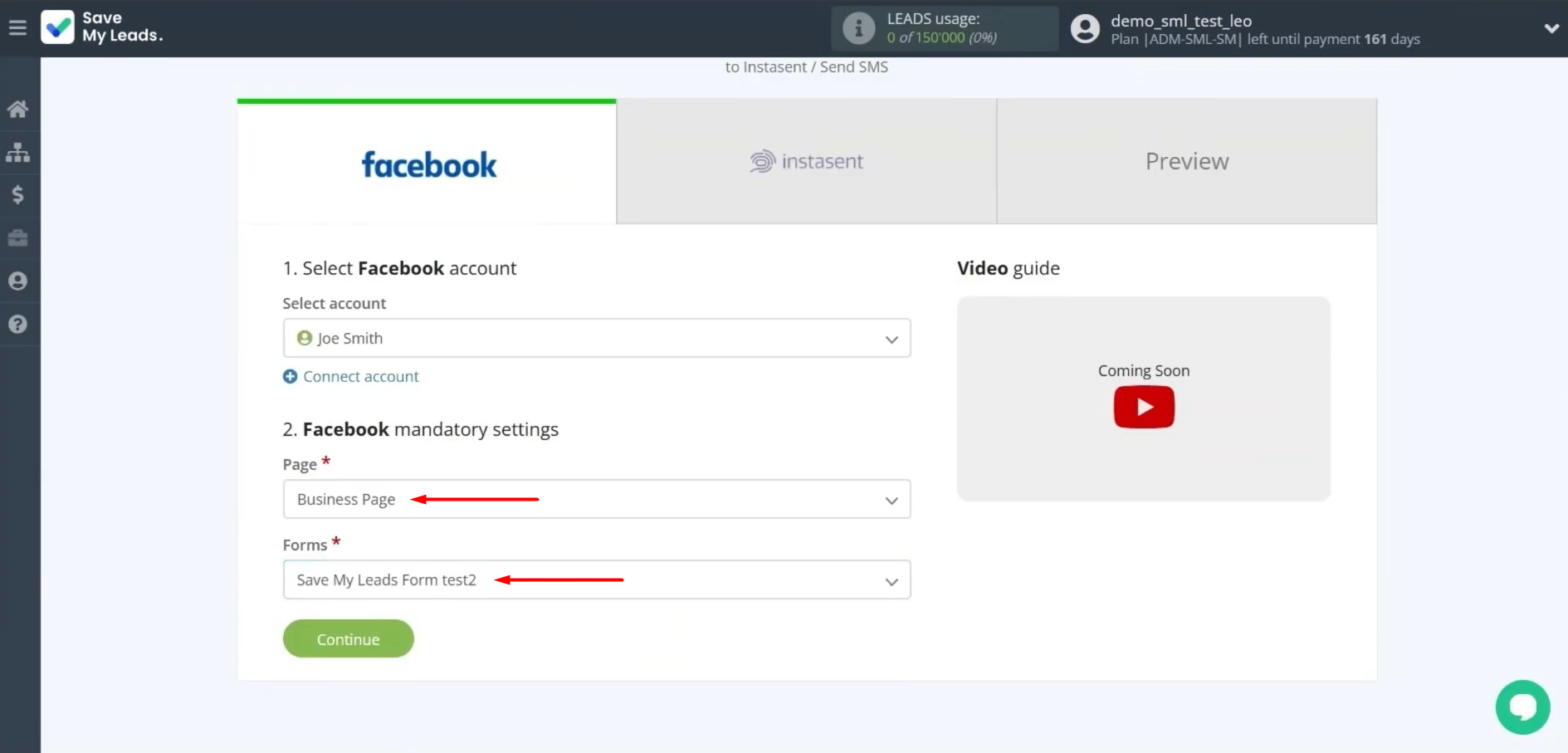
Data Destination Settings: Instasent
At this stage, connect your Instasent account to SaveMyLeads.
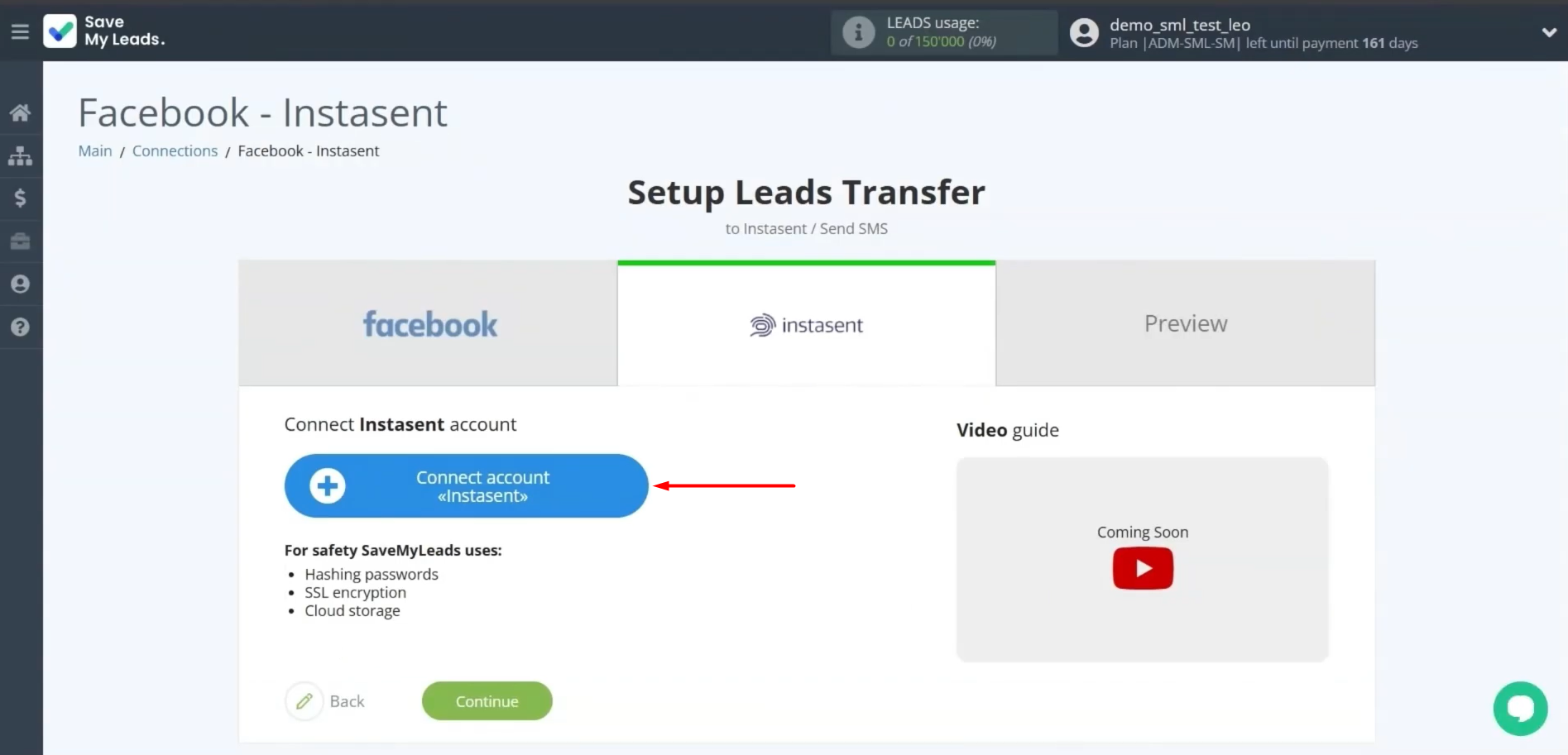
Here you need to enter the API key.
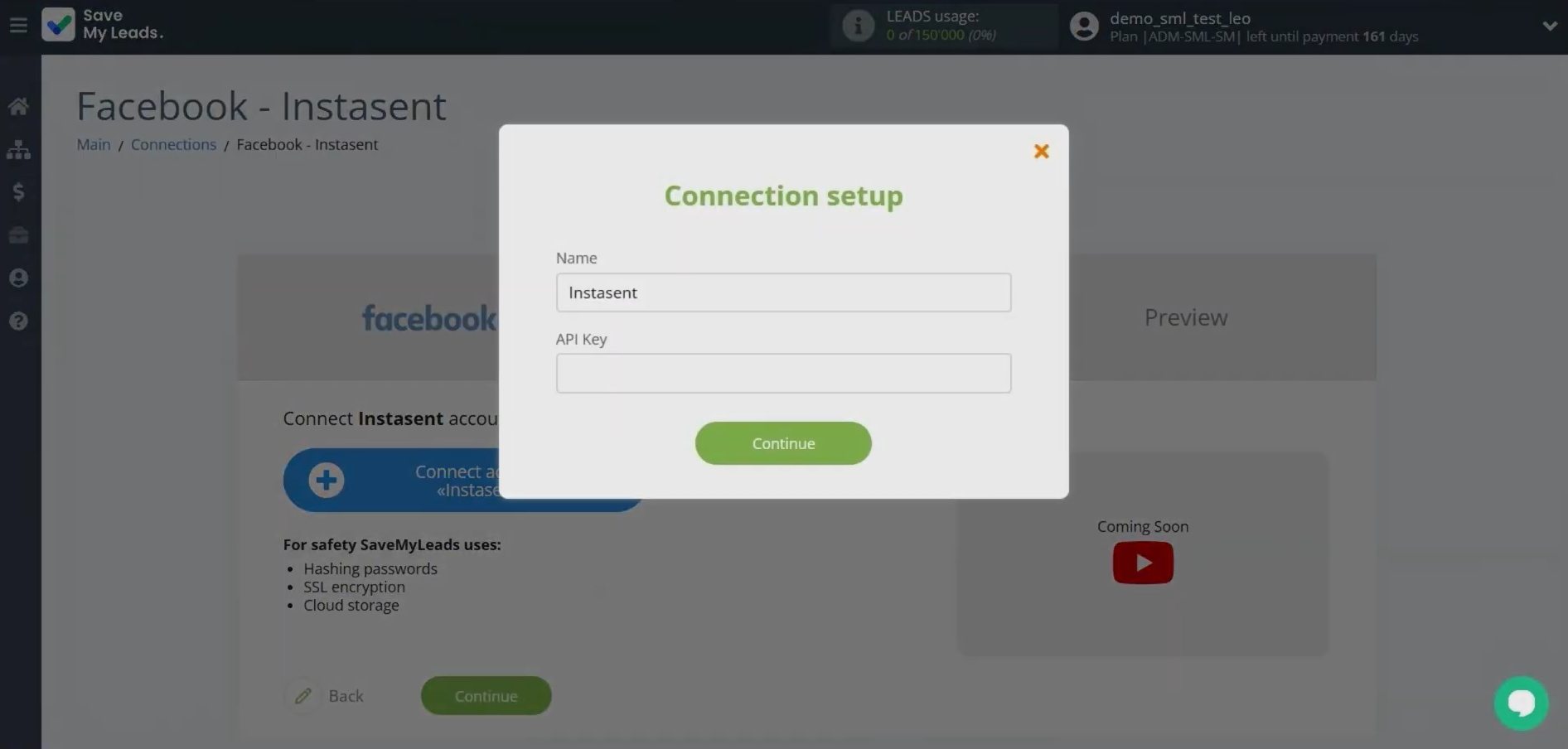
To get it, log in to your Instasent account and find the SMS API section.
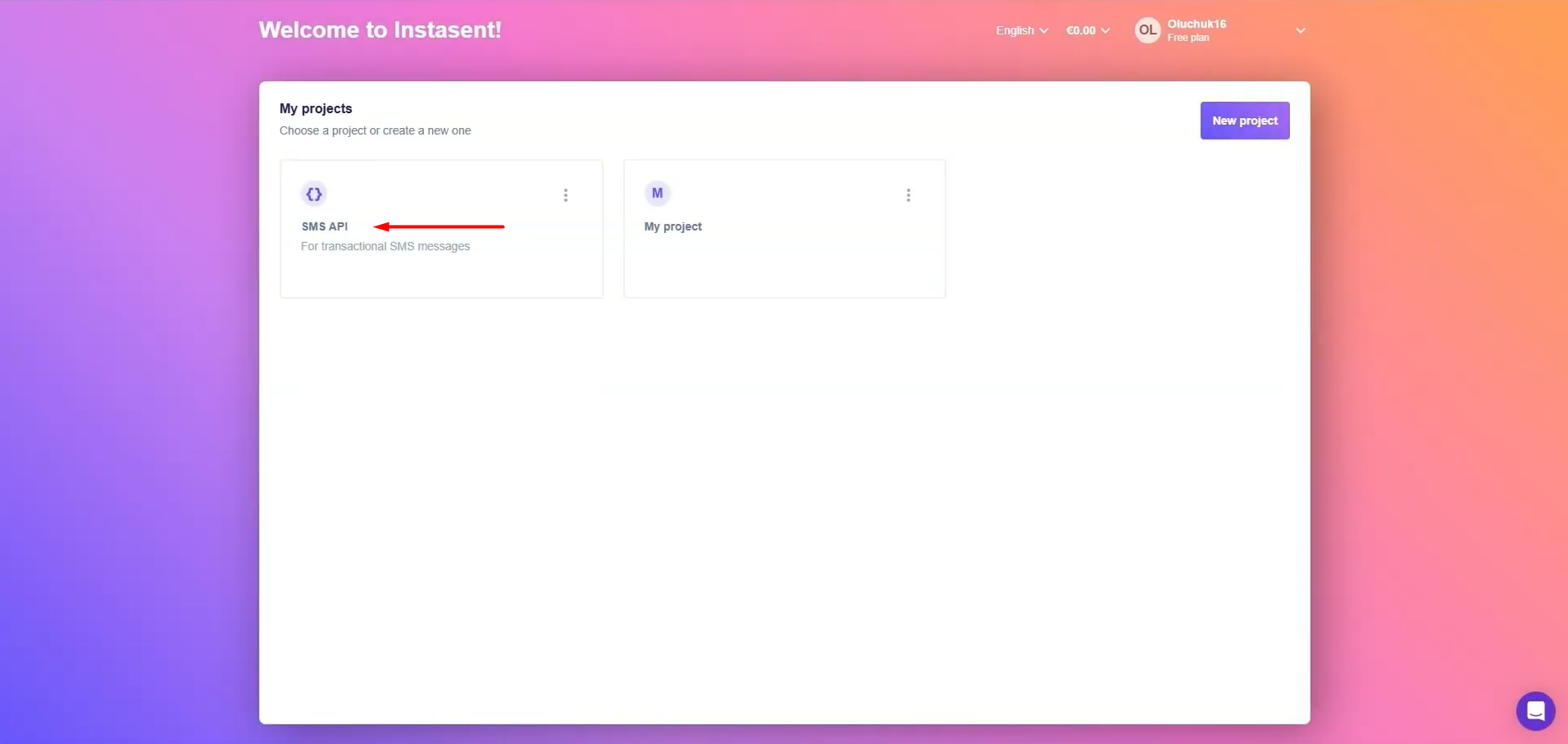
Click Create API token.
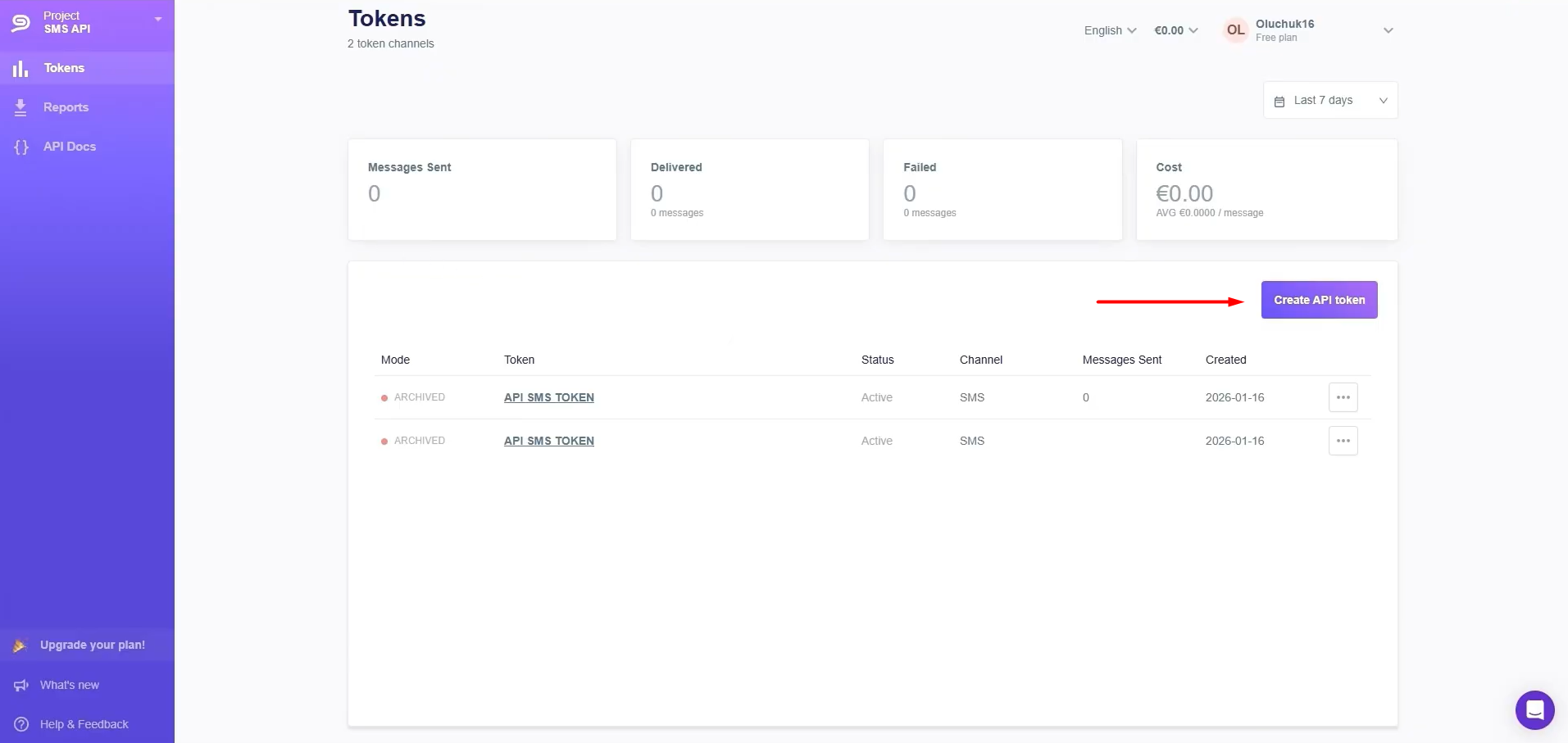
Provide a name for the token. Fill in the required fields and click Create SMS API token.
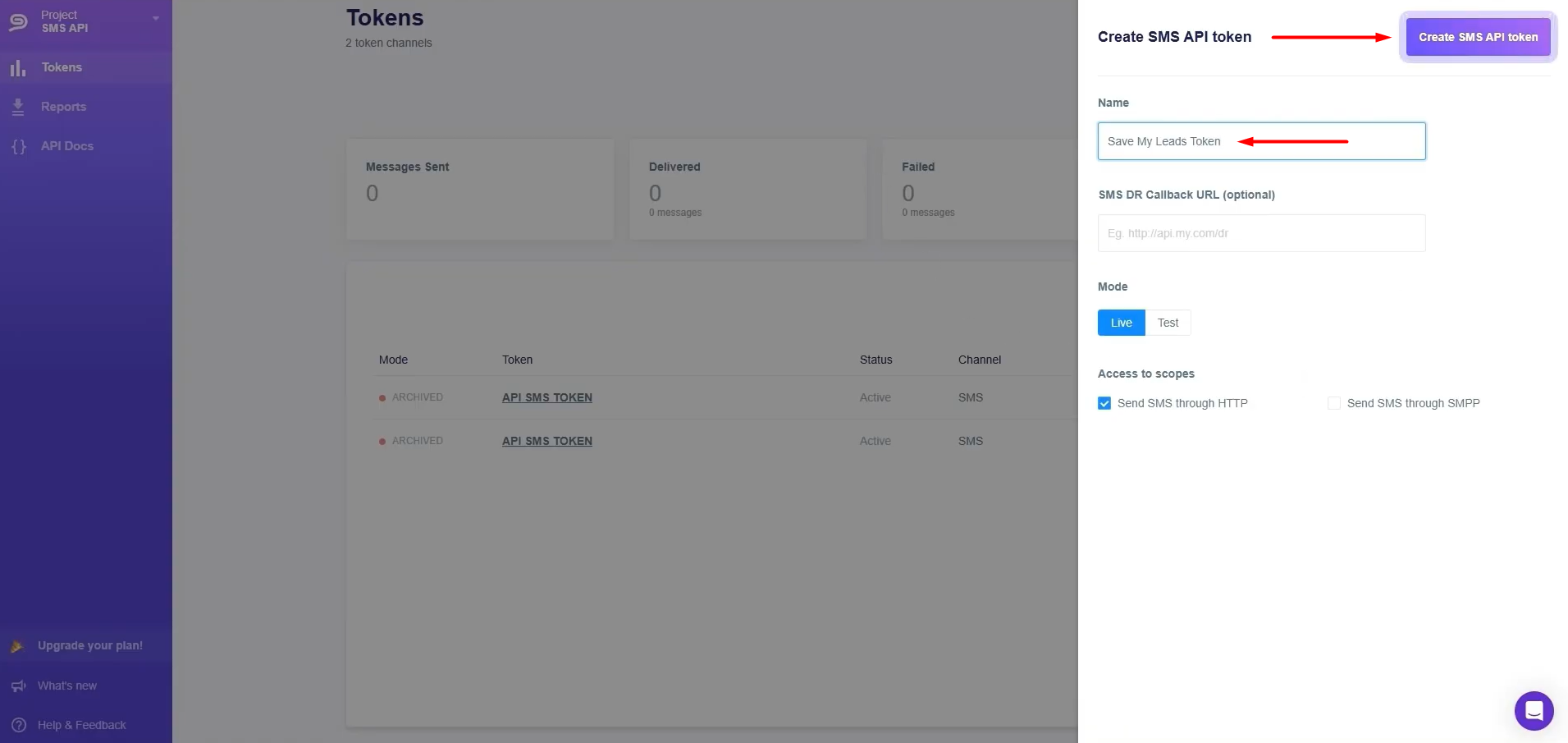
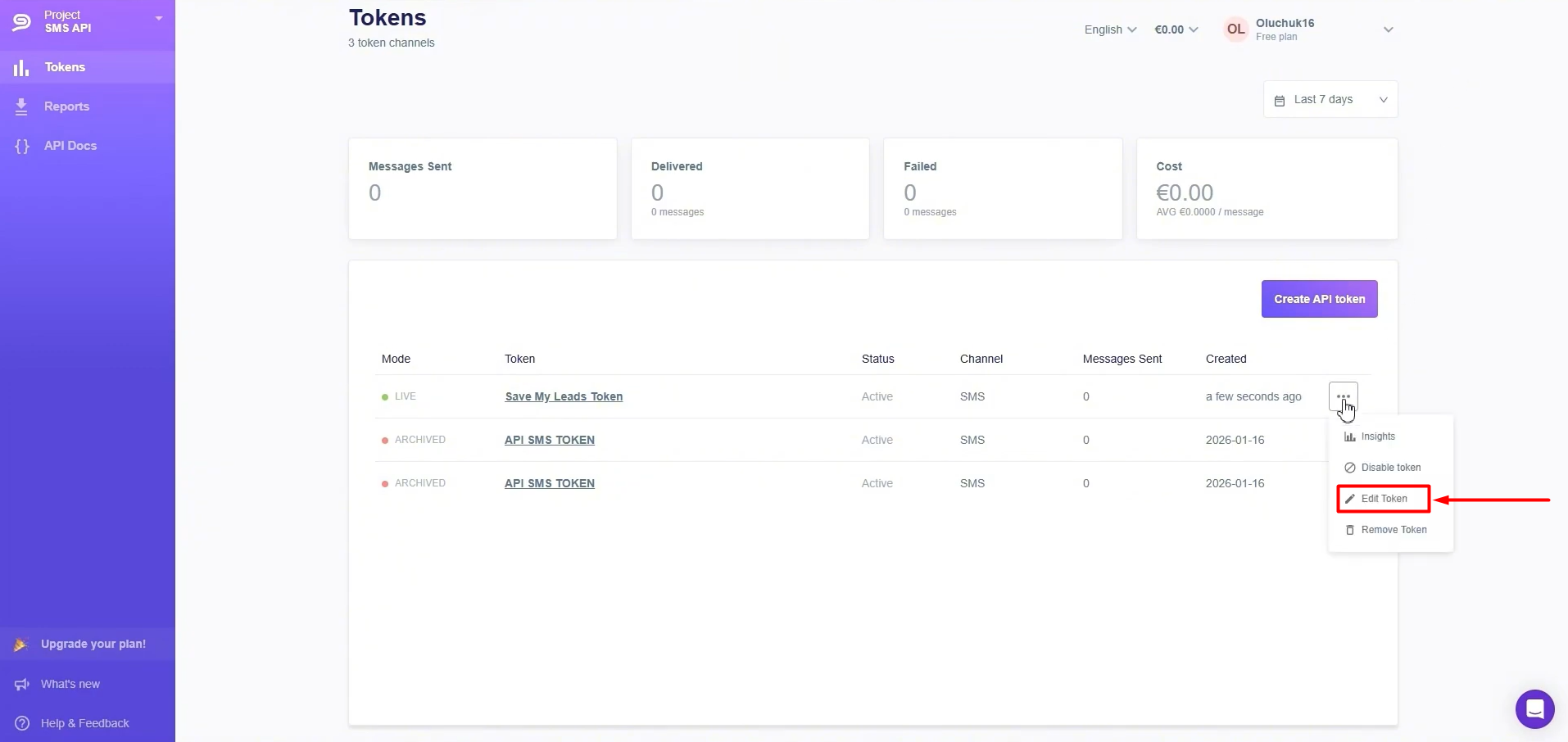
To copy an API token, click on the three dots next to the token you need.
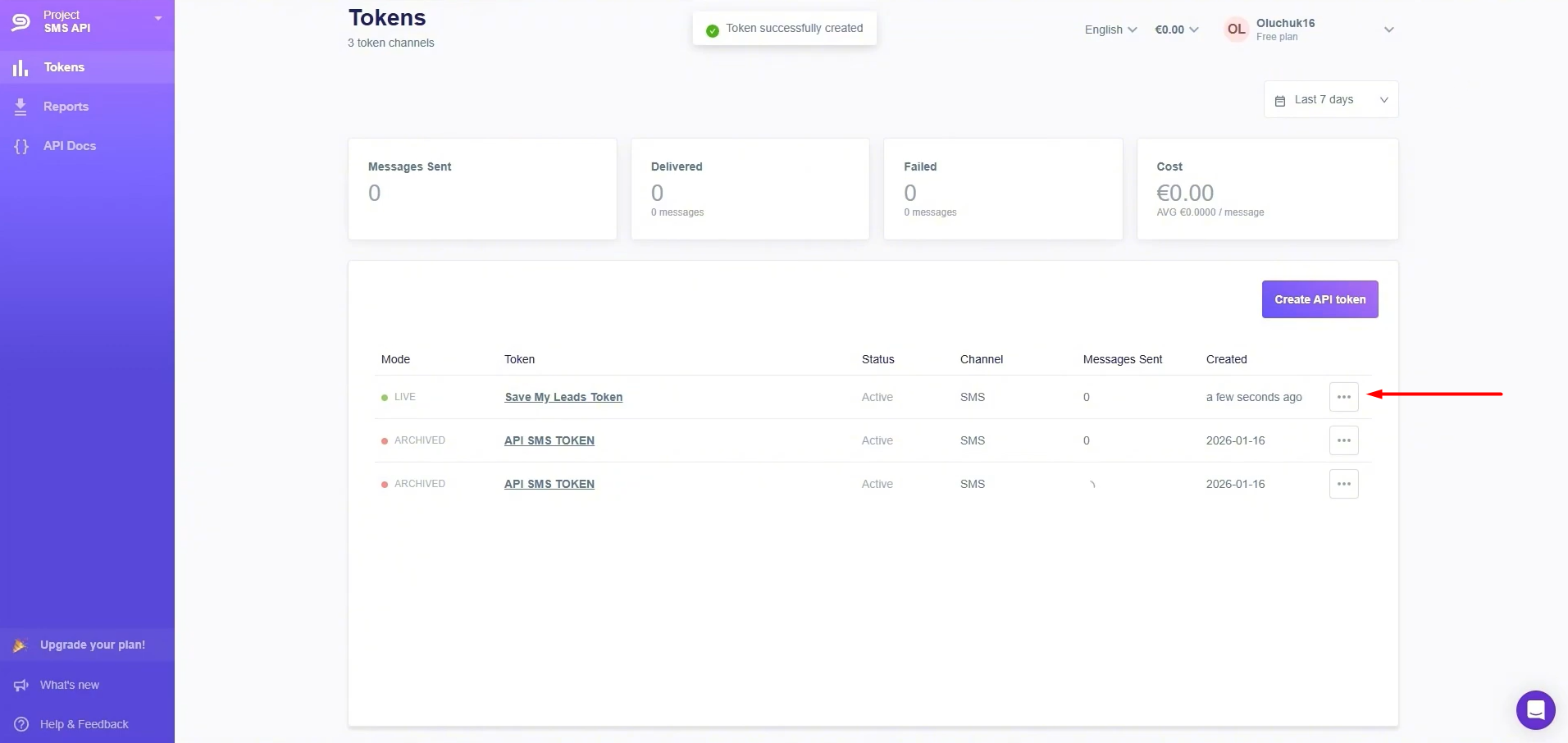
Click Edit Token.
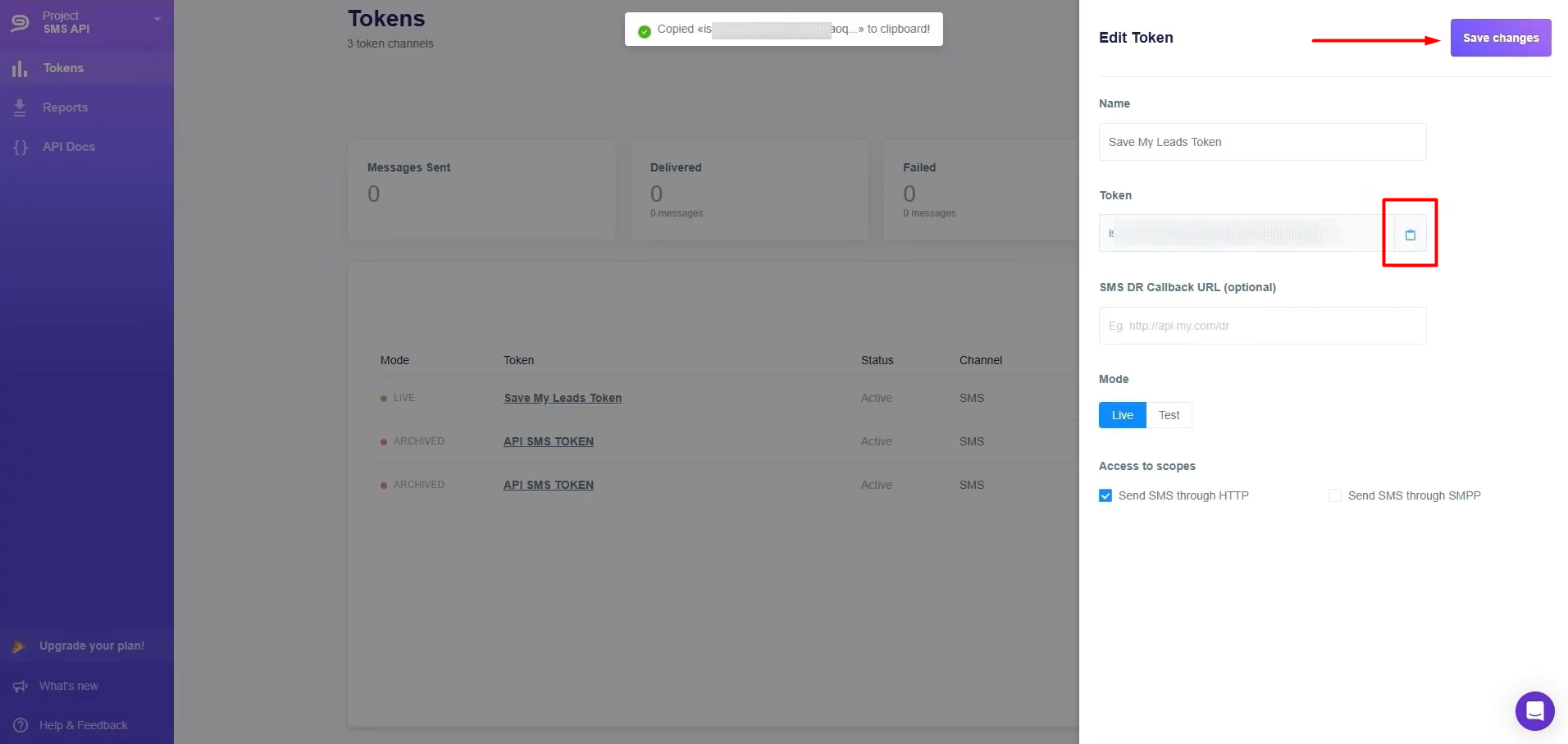
Copy the API key.
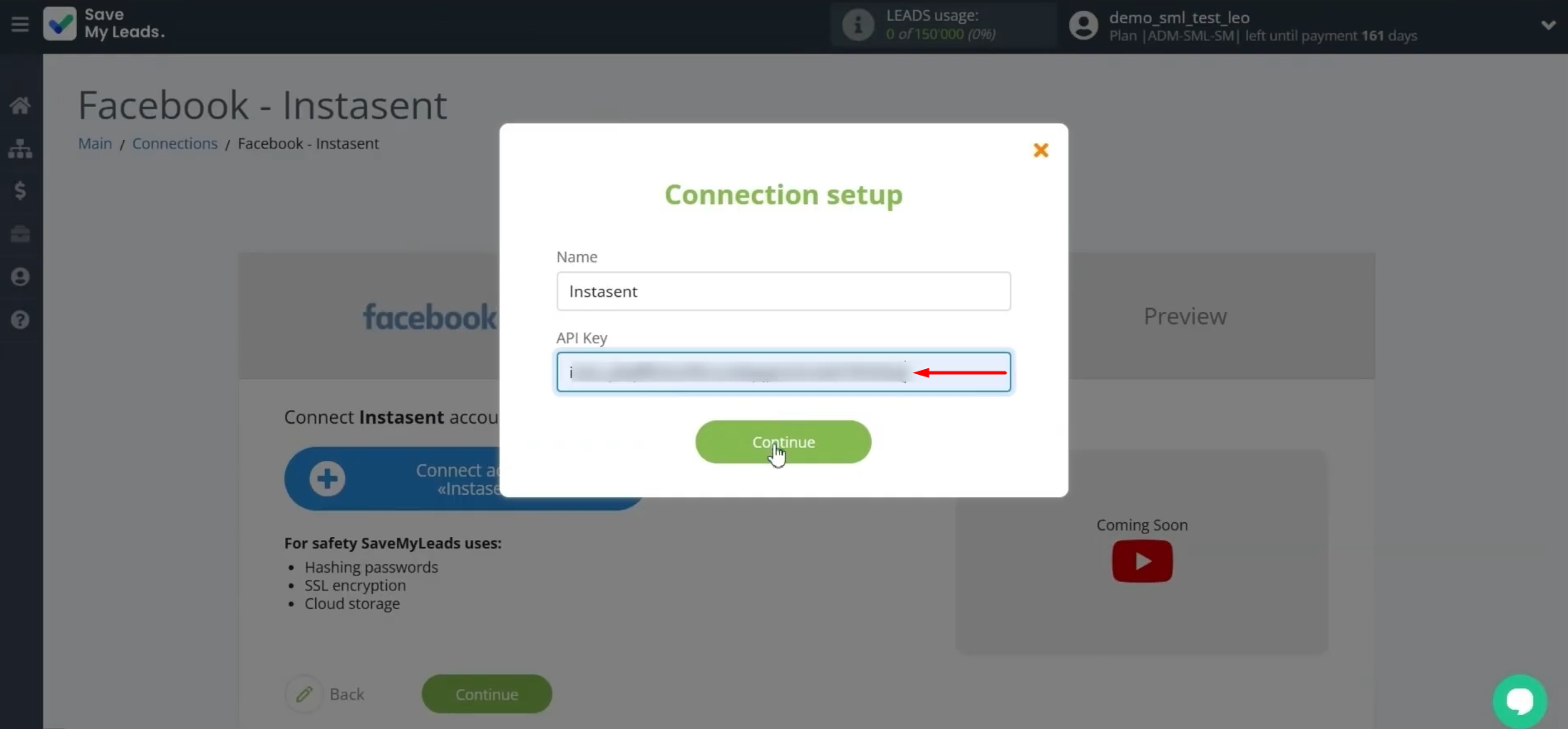
Now let's go back to connecting Instasent to SaveMyLeads. Specify the API key and click Continue.
When the connected account appears in the list, select it.
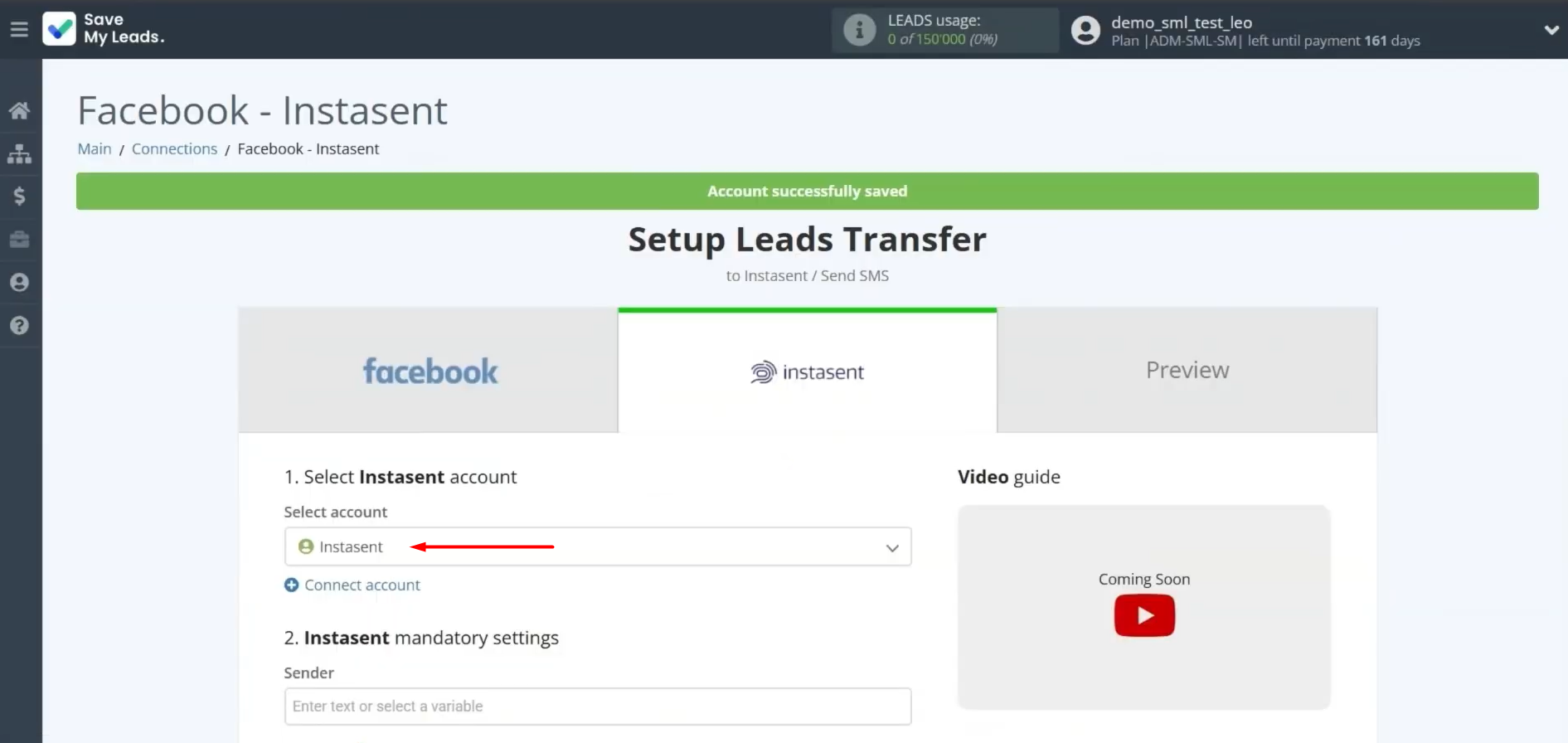
Next, configure the SMS settings. Complete the required fields by selecting the sender from the drop-down list and entering the recipient's details and message text.
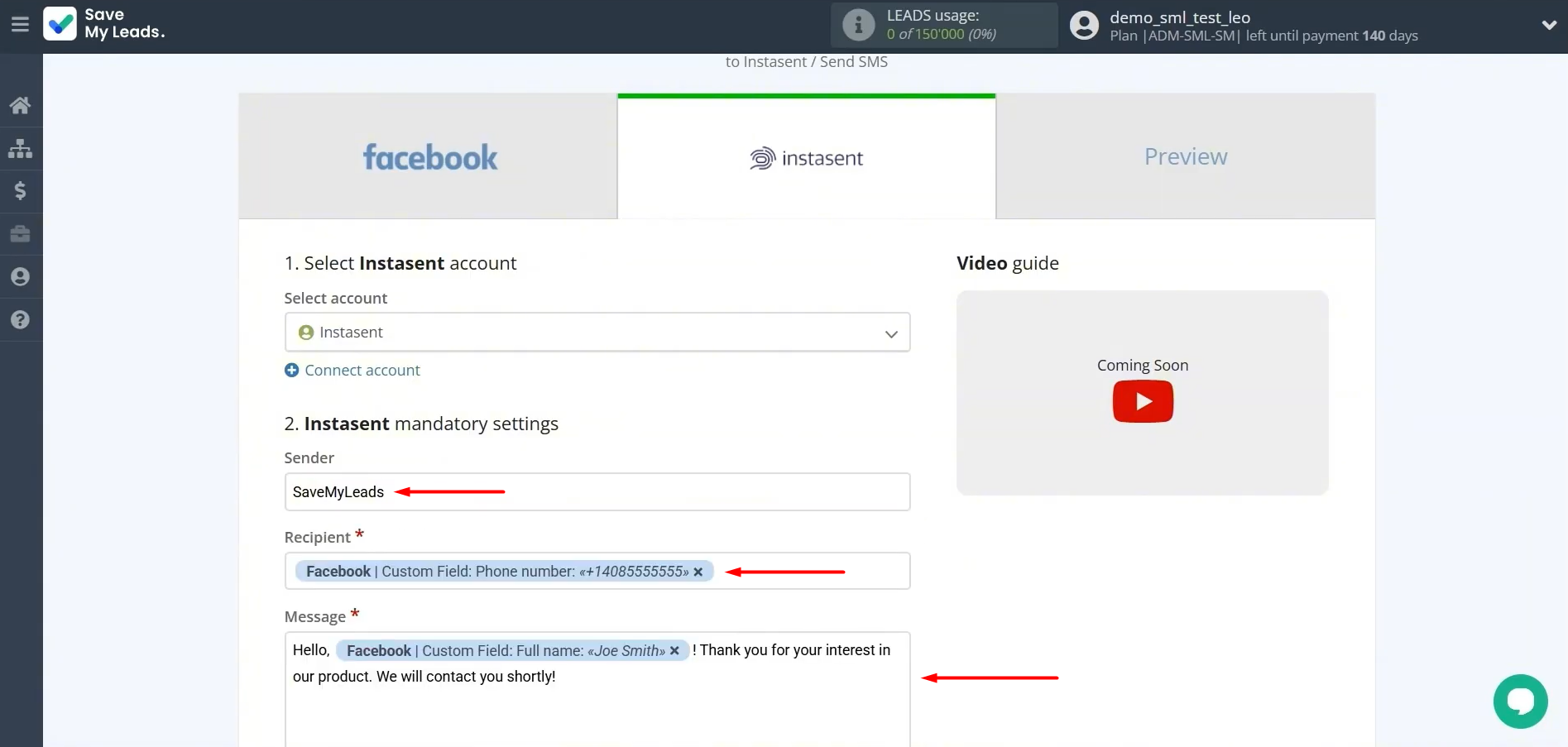
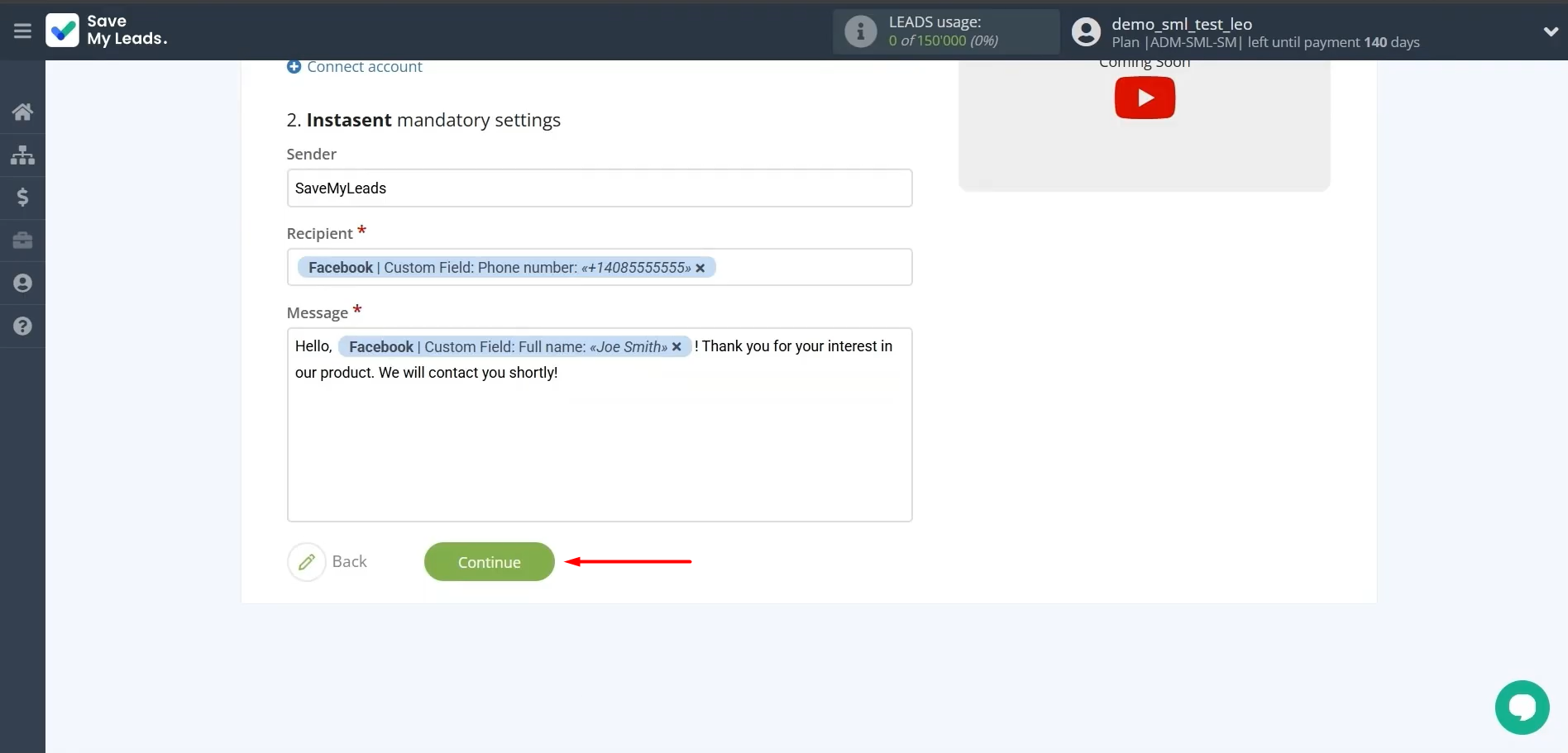
Once everything is filled out, verify the information and click Continue.
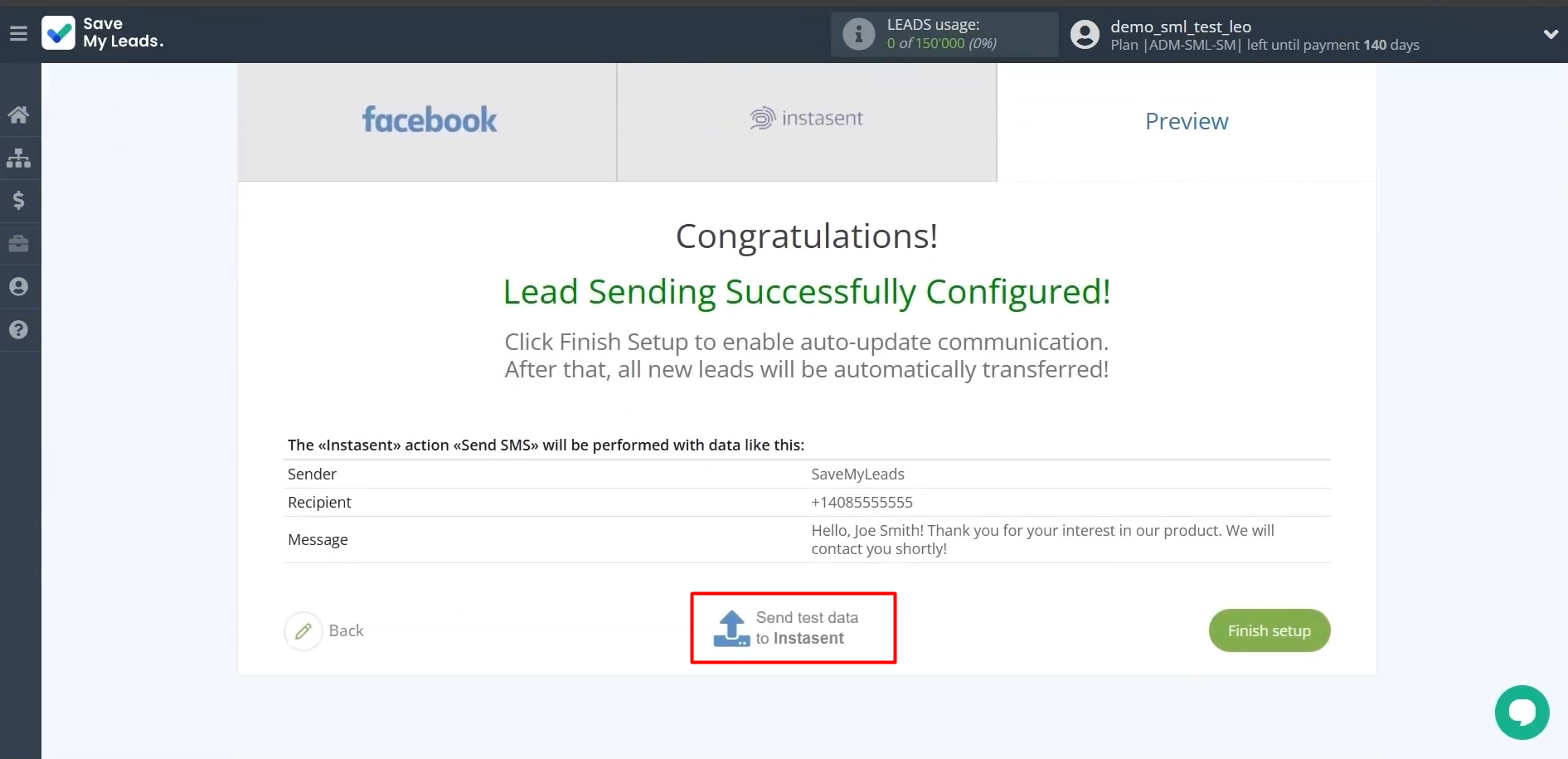
To verify your settings, send test data to Instasent.
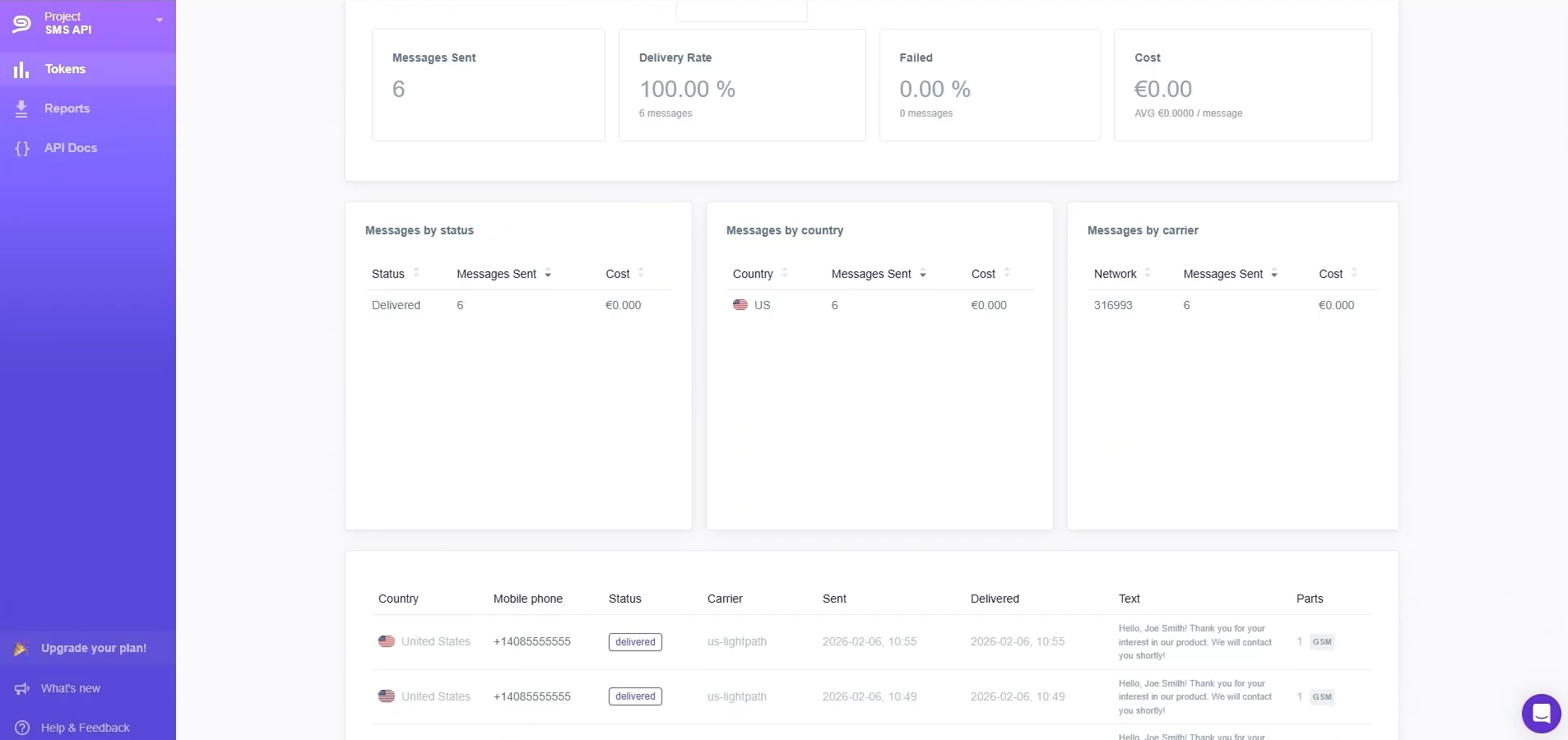
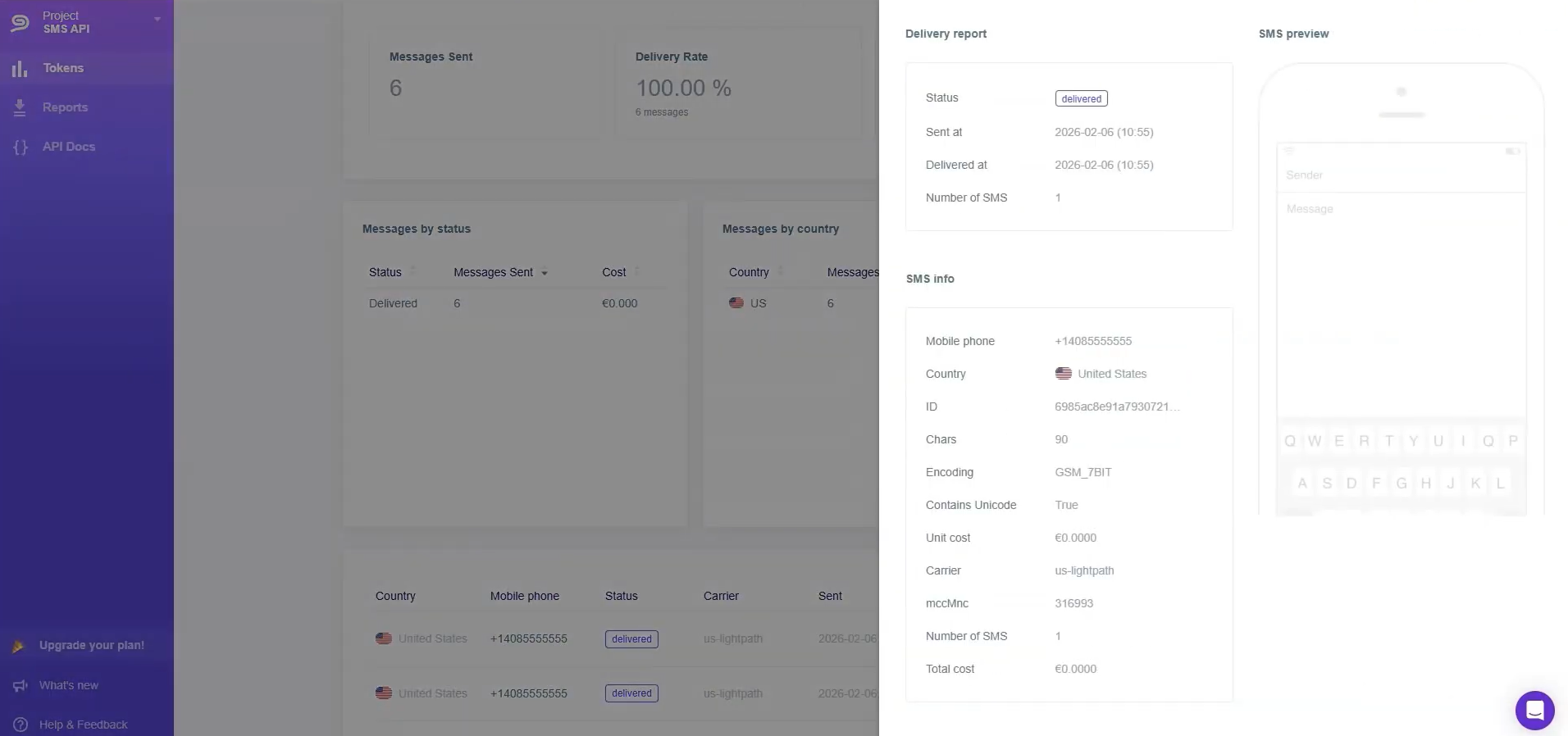
After successfully sending the test message, go to your Instasent account and check the result.
Return to the SaveMyLeads service and complete the setup.
Automatic Data Sync
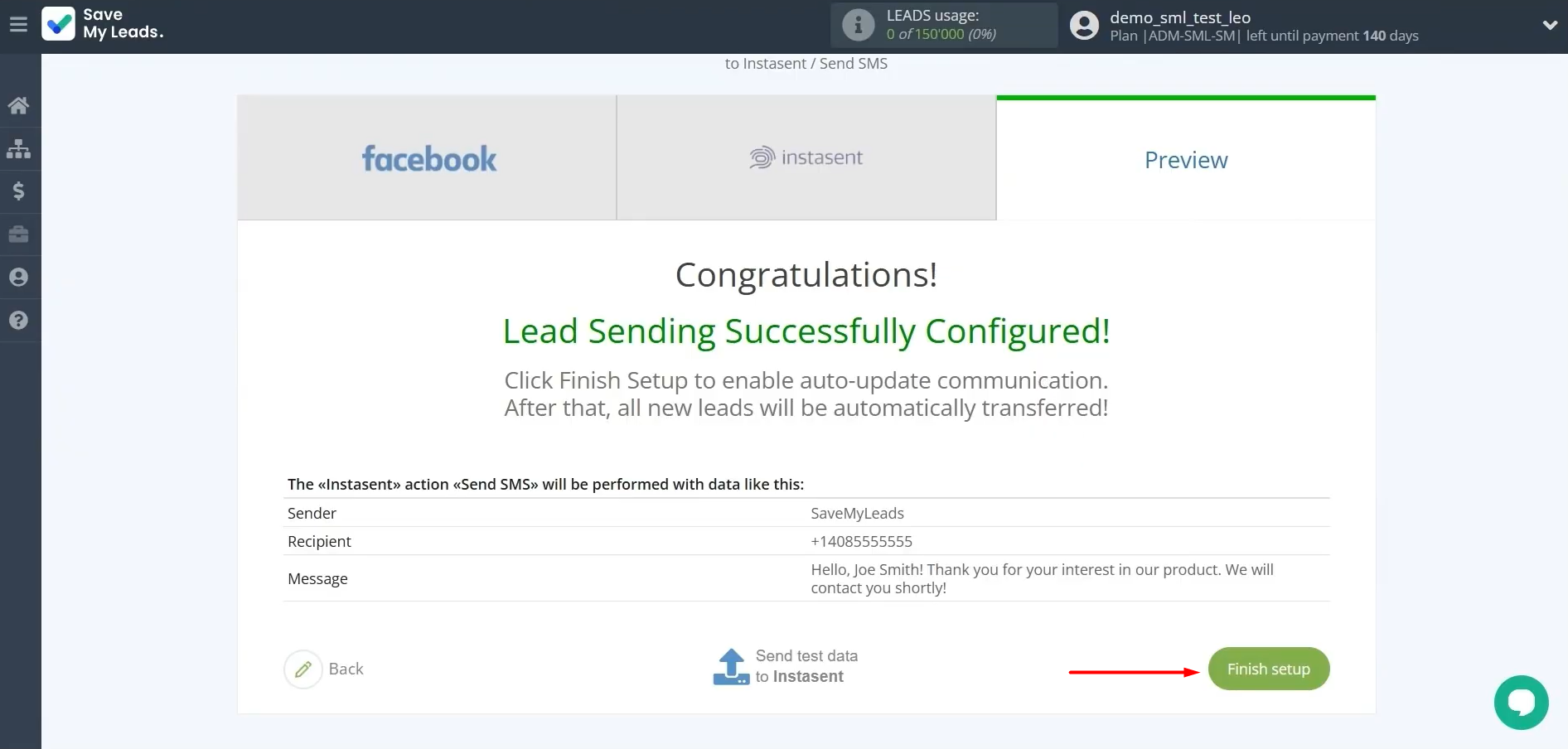
To automatically send SMS to new leads after they submit a Facebook form, you need to enable auto-updates. For this, click Finish setup.
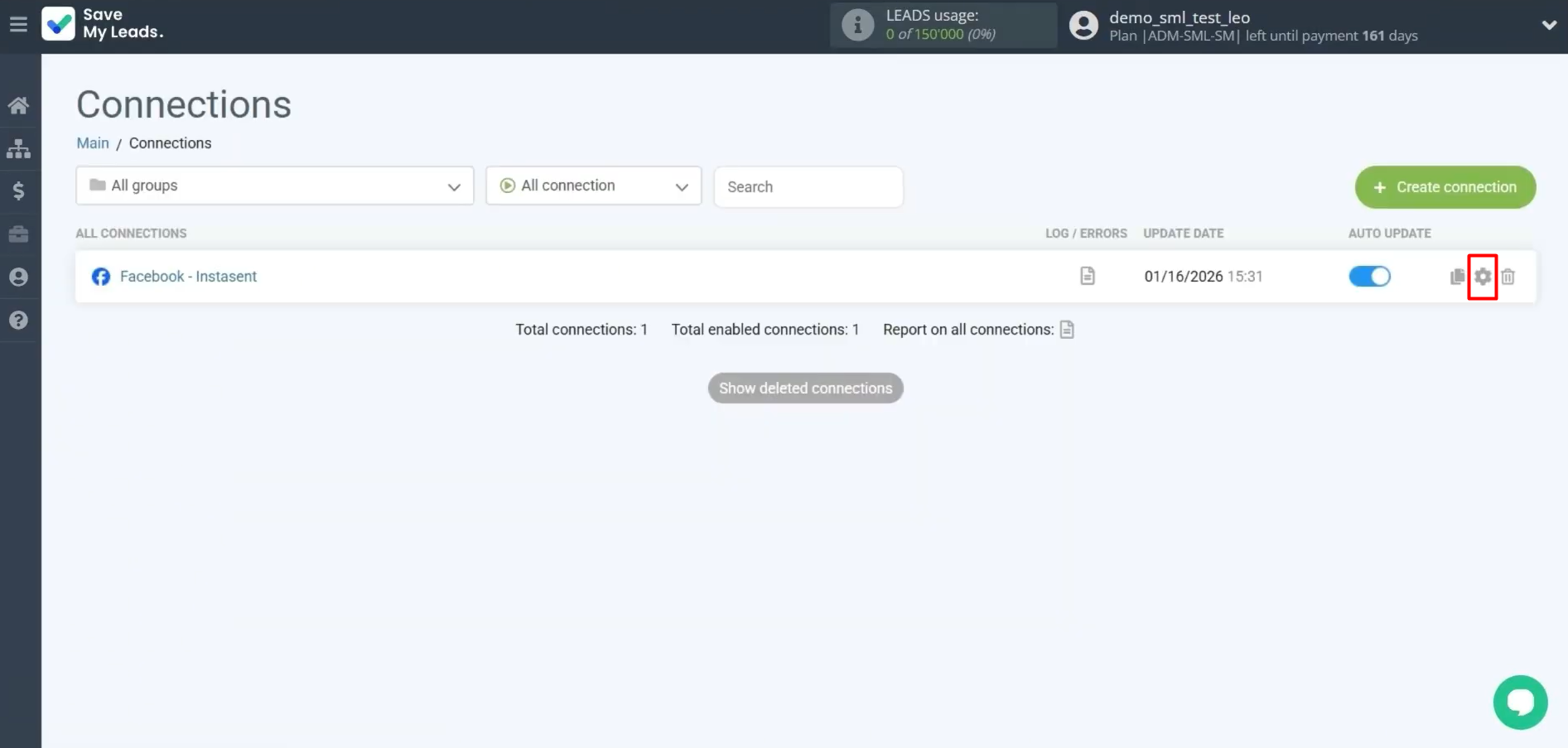
If necessary, you can change the name of the connection. To achieve this, go to settings.
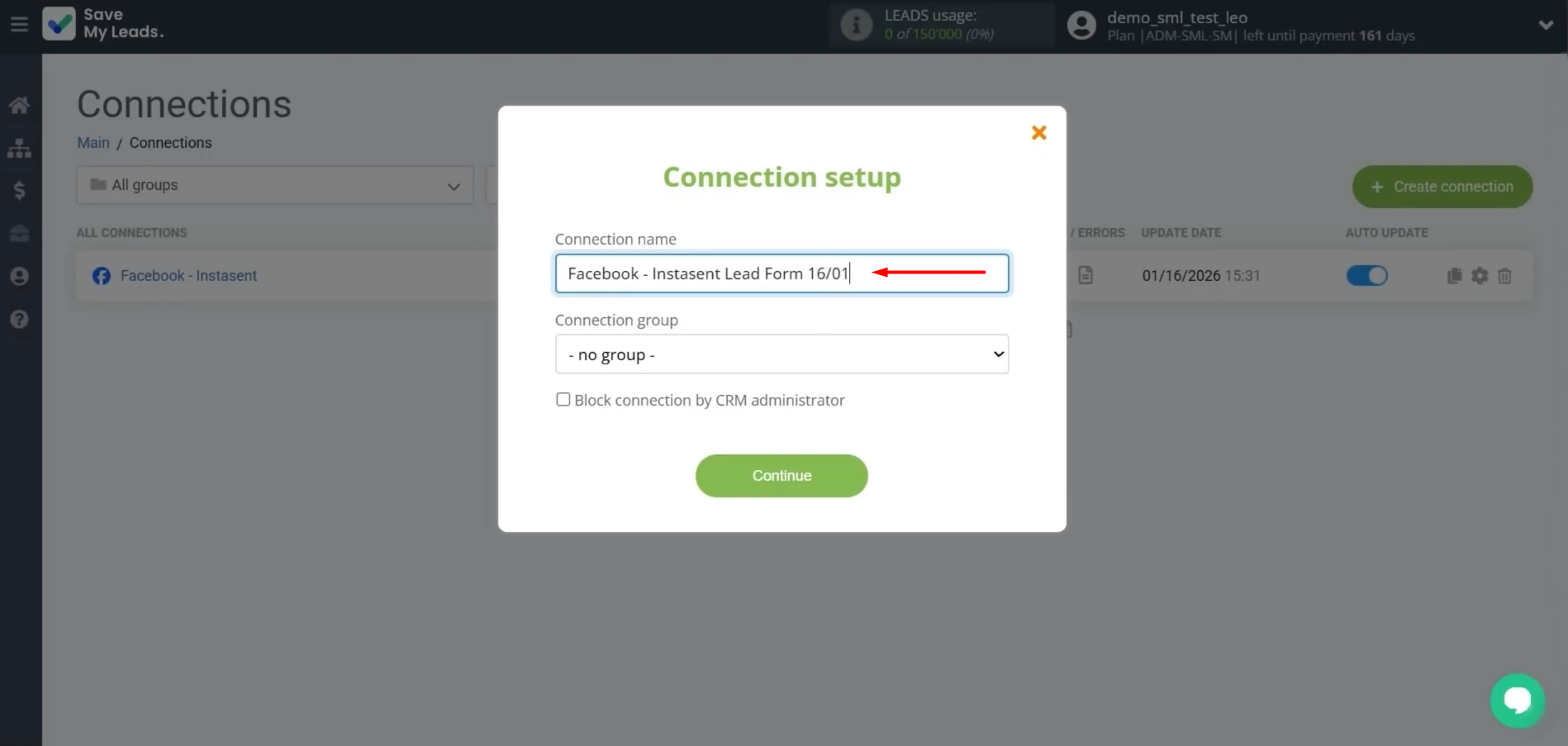
Enter the name. For example, lead form and date. After that, click Continue.
Facebook lead generation to Instasent is now live and running.
Conclusion
The integration of Facebook Lead Ads and Instasent reliably automates the transfer of lead data and significantly speeds up SMS communication with potential customers. Thanks to it, businesses get the opportunity to reduce the response time to new prospects, improve the quality of customer service, and minimize the risk of losing orders. The no-code online connector SaveMyLeads allows you to set up such automation in a few minutes and without programming, which makes this solution available to any company, regardless of its industry and scale.
Step-by-Step Guides for Setting Up Integrations:
- TikTok and Slack Integration: Automatically Sending Channel Notifications
- Google Lead Form and Asana Integration: Automatic Data Transfer
- How to Connect TikTok to Brevo: A Seamless Integration Guide
- Google Lead Form and Monday.com Integration: How-to Guide
- How to Integrate TikTok with GetResponse: Step-by-Step Guide