
Today, TikTok is actively used by businesses as a platform for lead generation. Delays in processing orders and inquiries can result in the loss of potential clients. TikTok and Constant Contact integration allows you to automatically transfer leads to the email marketing platform, where they are registered as new contacts and added to the mailing list. The result is time savings and minimizing lead losses. In this article, we will tell you how to set up this integration in a few minutes.
Seamless Business Processes with Automation
The main value of the Constant Contact and TikTok integration is that it makes the lead management process, which previously consisted of several separate steps, seamless. If you were previously manually transferring contacts from TikTok via copying and pasting or CSV export-import, you were wasting valuable time on these intermediate steps.
Automating the transfer of lead data from social media to an email marketing platform eliminates the bottlenecks of manual actions, copying errors, and delays, making the lead journey seamless and, as a result, much faster.
For businesses advertising on TikTok, integrating this platform with Constant Contact provides a smoother transfer of leads. At least, this is how the automation looks: users submit a completed form on TikTok — and end up in Constant Contact. After that, they are added to the email list and receive a welcome letter or a series of emails with offers. The data transfer is completely automatic and works continuously.
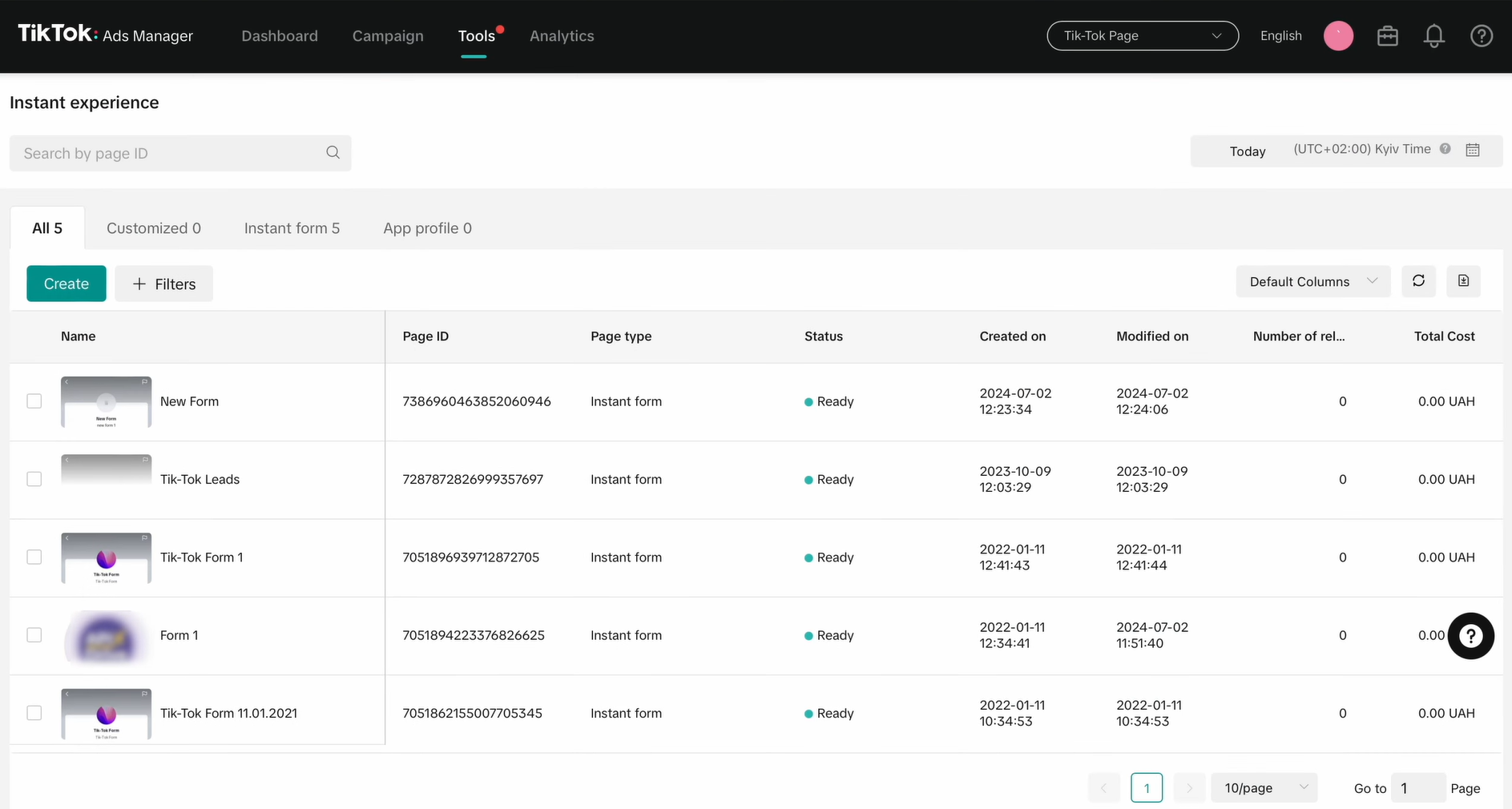
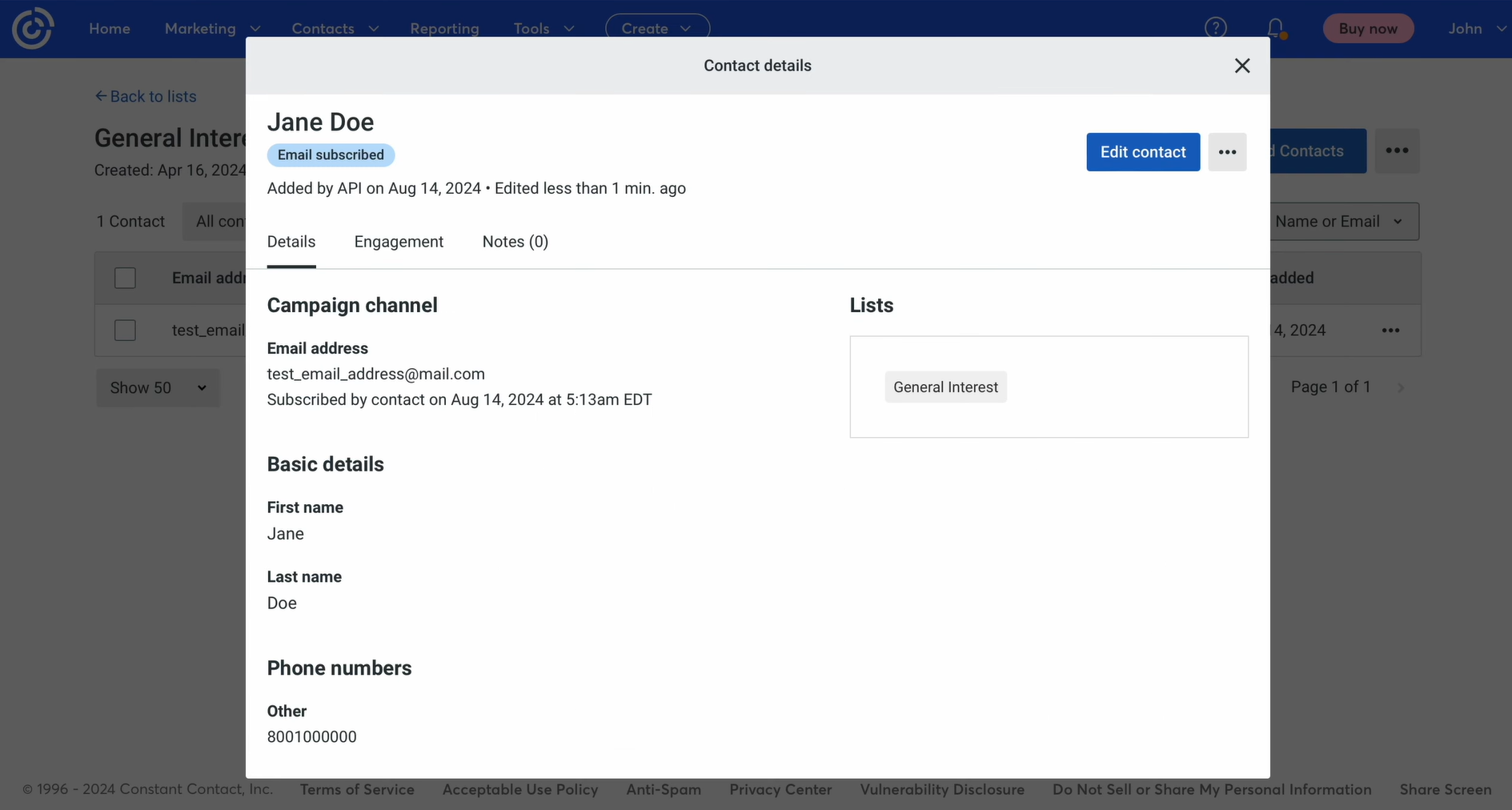
A seamless workflow provides significant advantages:
- Stability of business processes. All leads are transmitted in the same way at the same speed. The influence of the human factor is eliminated.
- Quick response to a potential customer's interest. A lead transferred to Constant Contact receives an email in response to the request they sent. This happens very quickly and creates a positive first experience.
- Data synchronization. During automated transfer of contact and other lead data, they are not lost. The problem inherent in manual transfer disappears.
- Scalability. If your lead count will increase, the Constant Contact integration with TikTok continues to work seamlessly. Of course, we recommend analyzing your lead flow so that your current plan is sufficient for automated processing.
This way, businesses don’t just get the ability to automatically transfer leads from TikTok to Constant Contact, they get an entire autonomous system. In this system, TikTok supplies the leads, and Constant Contact quickly includes them in email marketing — all in a fully automated and uninterrupted manner. Thanks to this seamlessness, companies can connect with potential customers much faster, increasing conversion and sales figures.

- Automate the work with leads from the Facebook advertising account
- Empower with integrations and instant transfer of leads
- Don't spend money on developers or integrators
- Save time by automating routine tasks
How to Connect TikTok to Constant Contact
Previously, to set up system integrations, you had to either be a developer yourself or order this service from programmers. Today, this is done in a few minutes using online connectors. To set up TikTok integration with Constant Contact, we suggest using the no-code SaveMyLeads connector. This service removes all the technical complexity, leaving the user with the simplest actions in an intuitive interface.
The integration configured through SaveMyLeads starts working immediately after auto-update is started. So let’s move on to the setup process. The step-by-step instructions with screenshots that we have prepared for you will help you not to get confused and perform all the necessary settings correctly and quickly.
Data Source Settings: TikTok
Create a new integration.
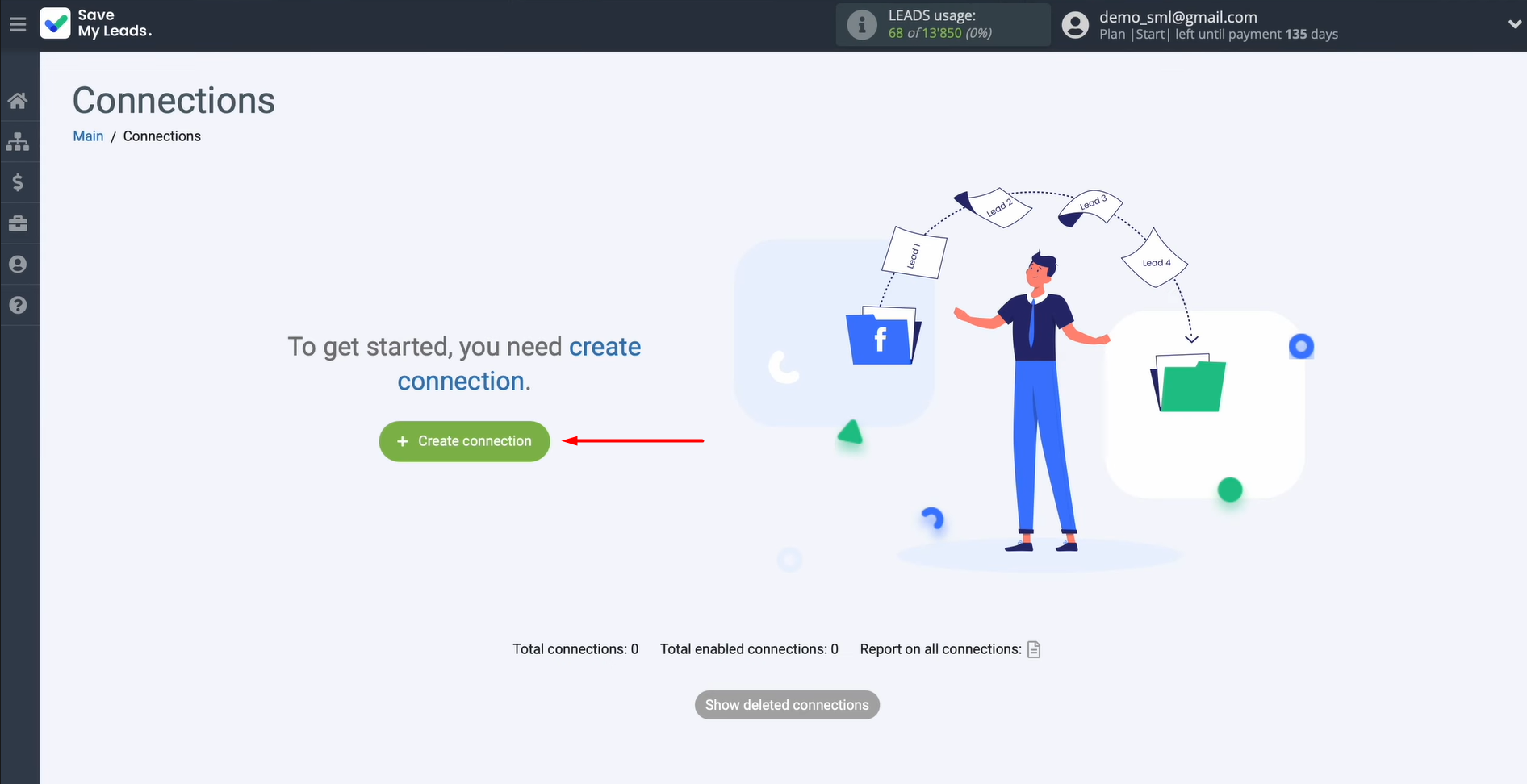
Choose the system that will act as the data source. You need TikTok.
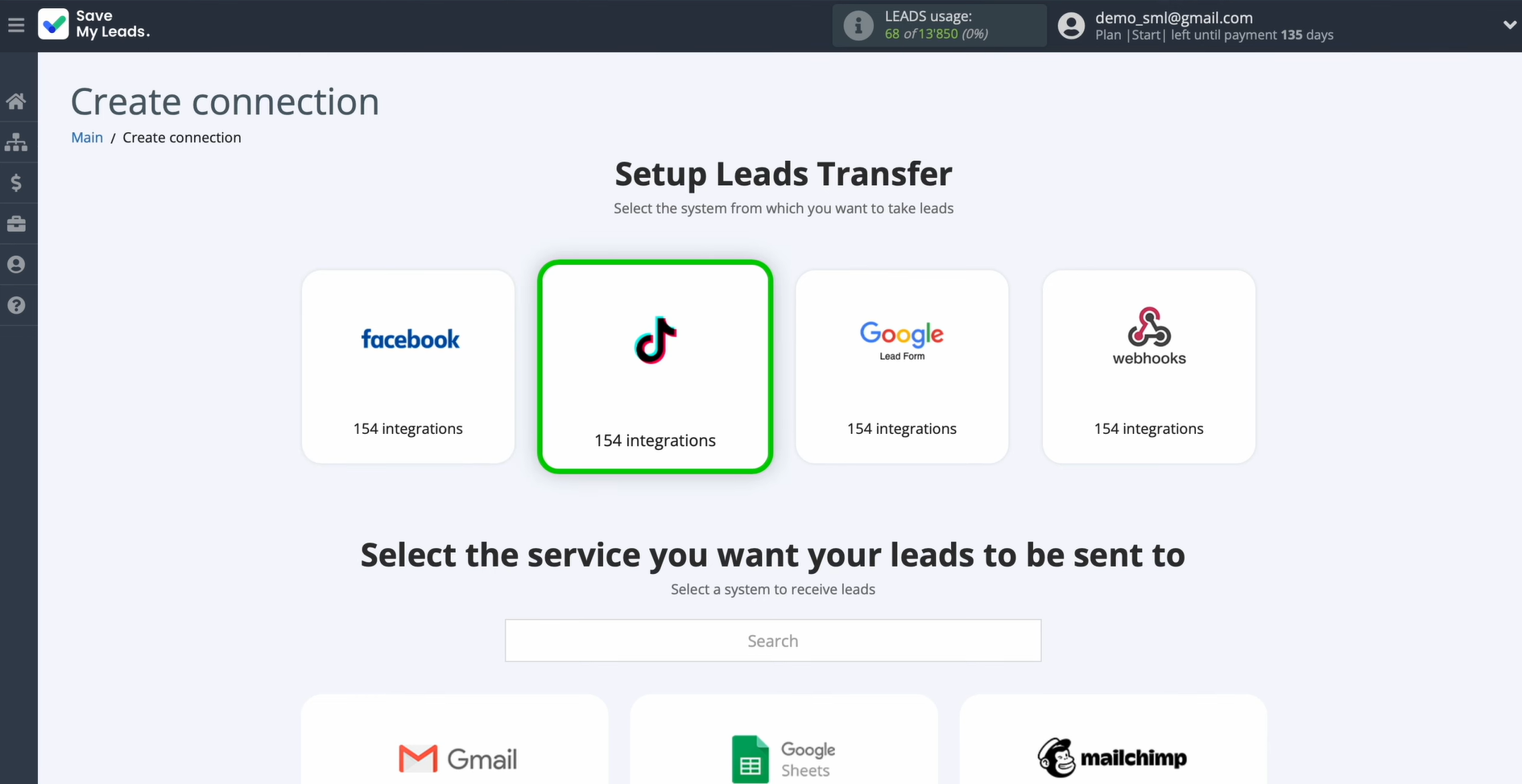
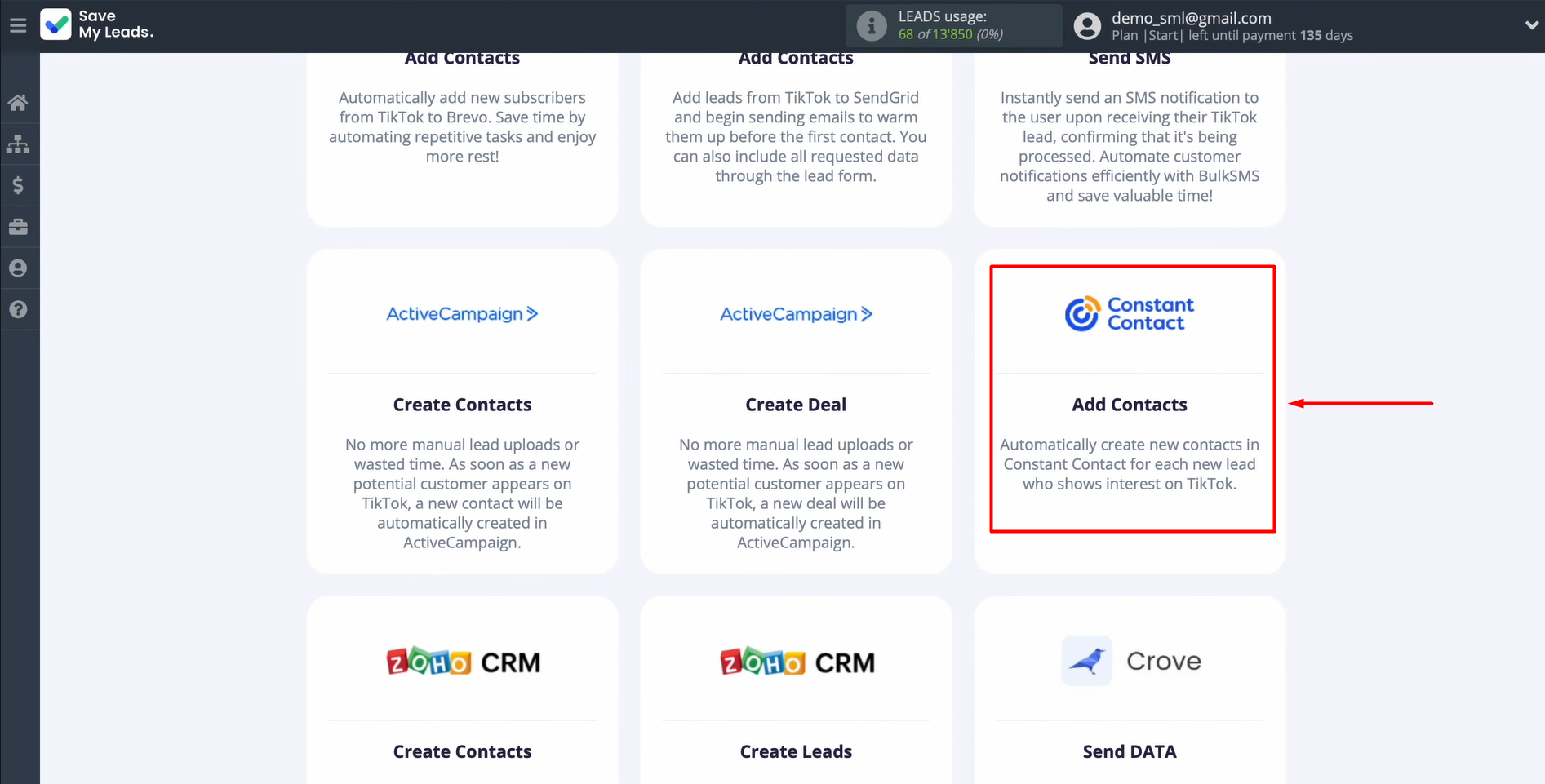
Select the system to which new leads from TikTok will be sent. You need Constant Contact (Add Contacts).
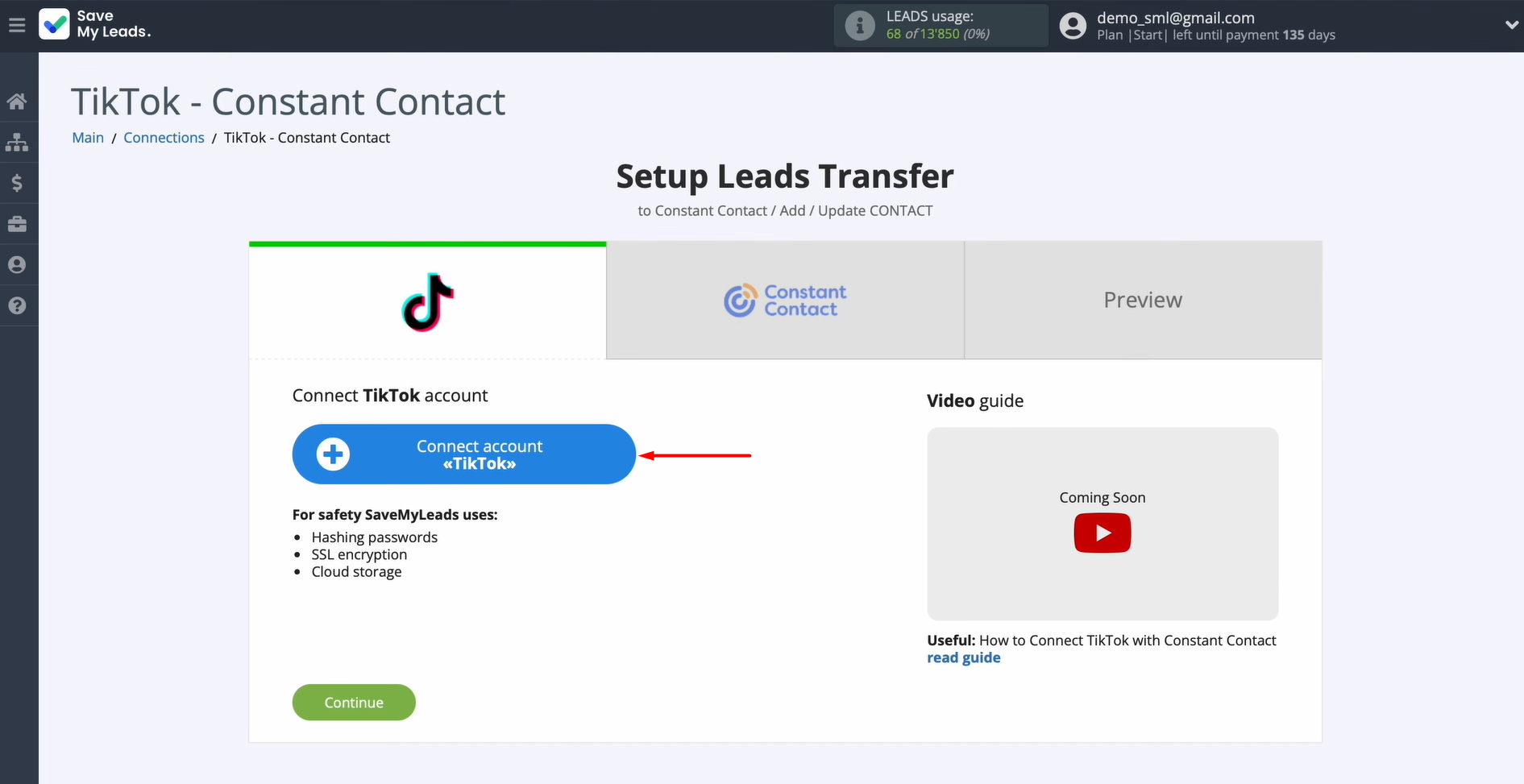
Link your TikTok account to the SML platform.
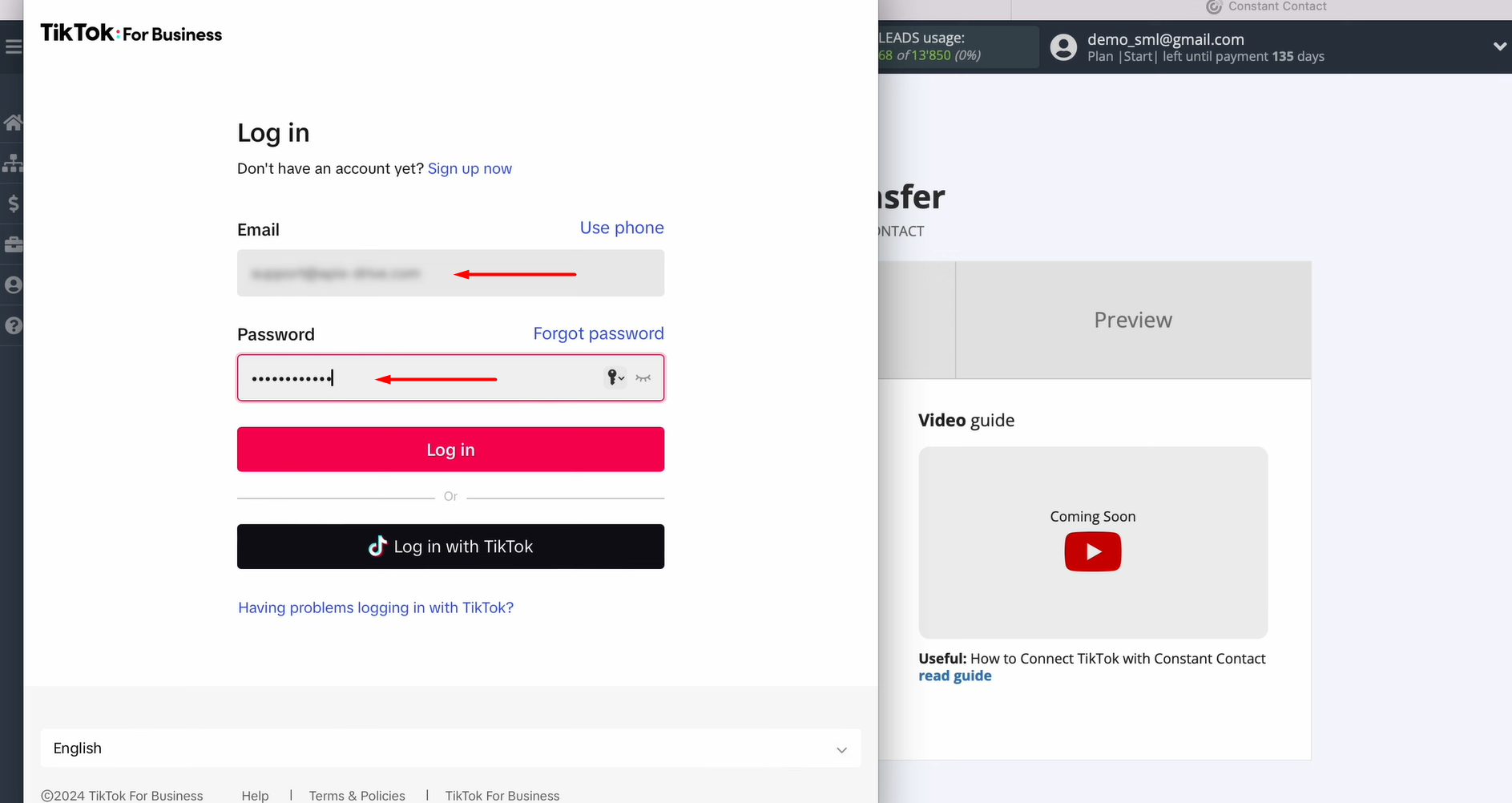
Enter the username and password for your TikTok account.
Grant SaveMyLeads access to work with your TikTok account. Ensure that all required access permissions are checked.

Once the connected account is displayed in the list, choose it.
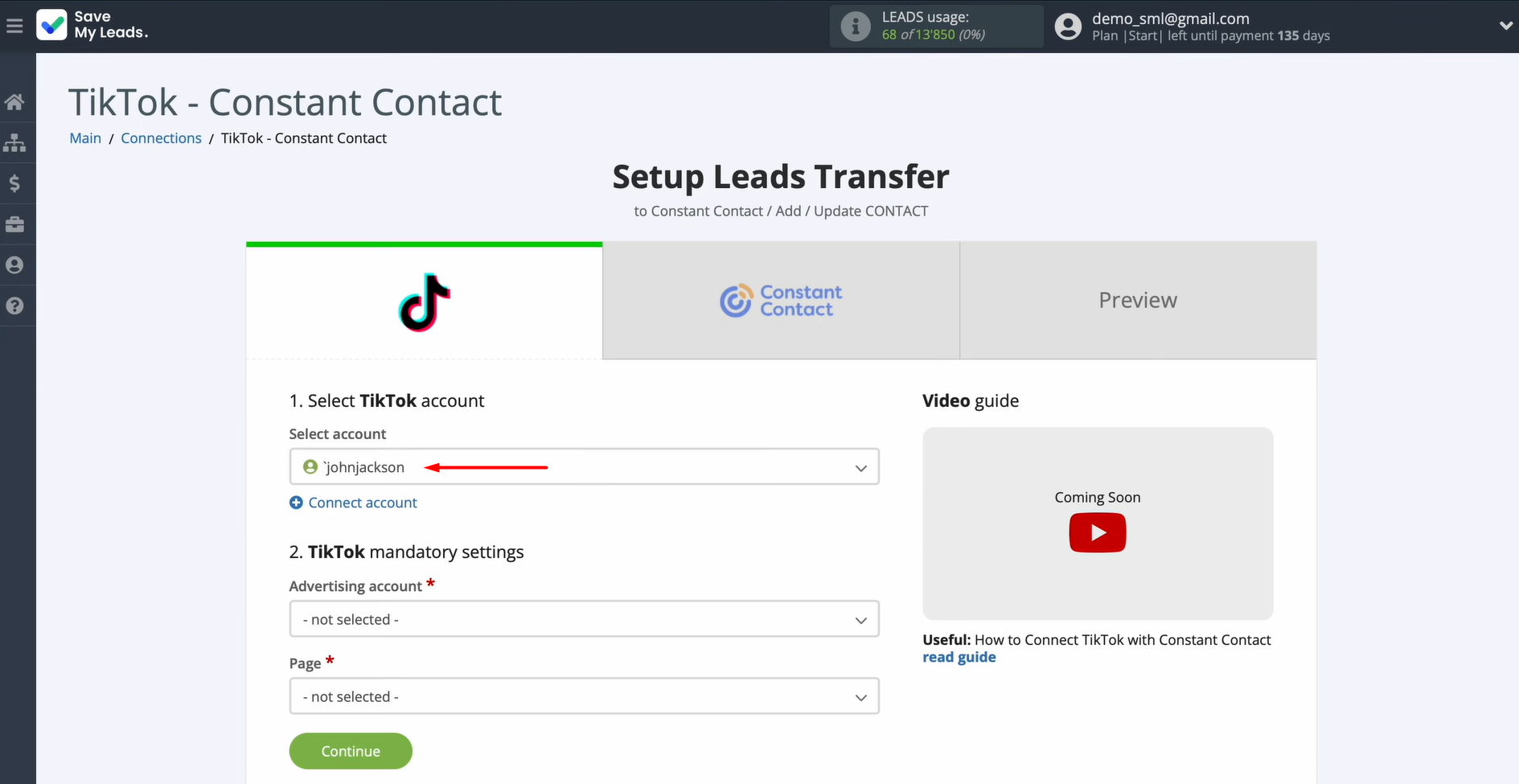
Select the ad page and the corresponding form. Then click Continue to proceed.
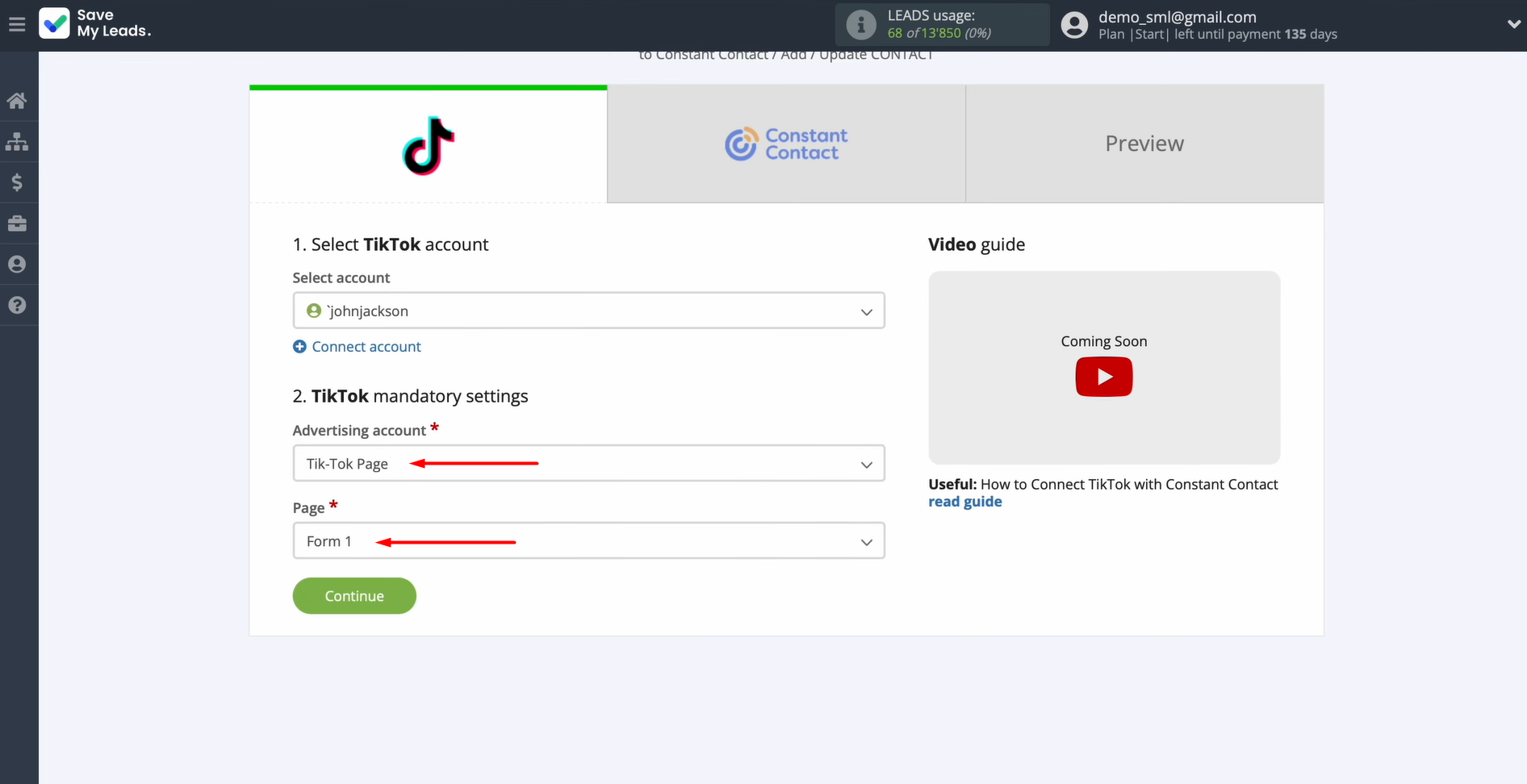
Data Destination Settings: Constant Contact
Connect your Constant Contact account to SaveMyLeads.
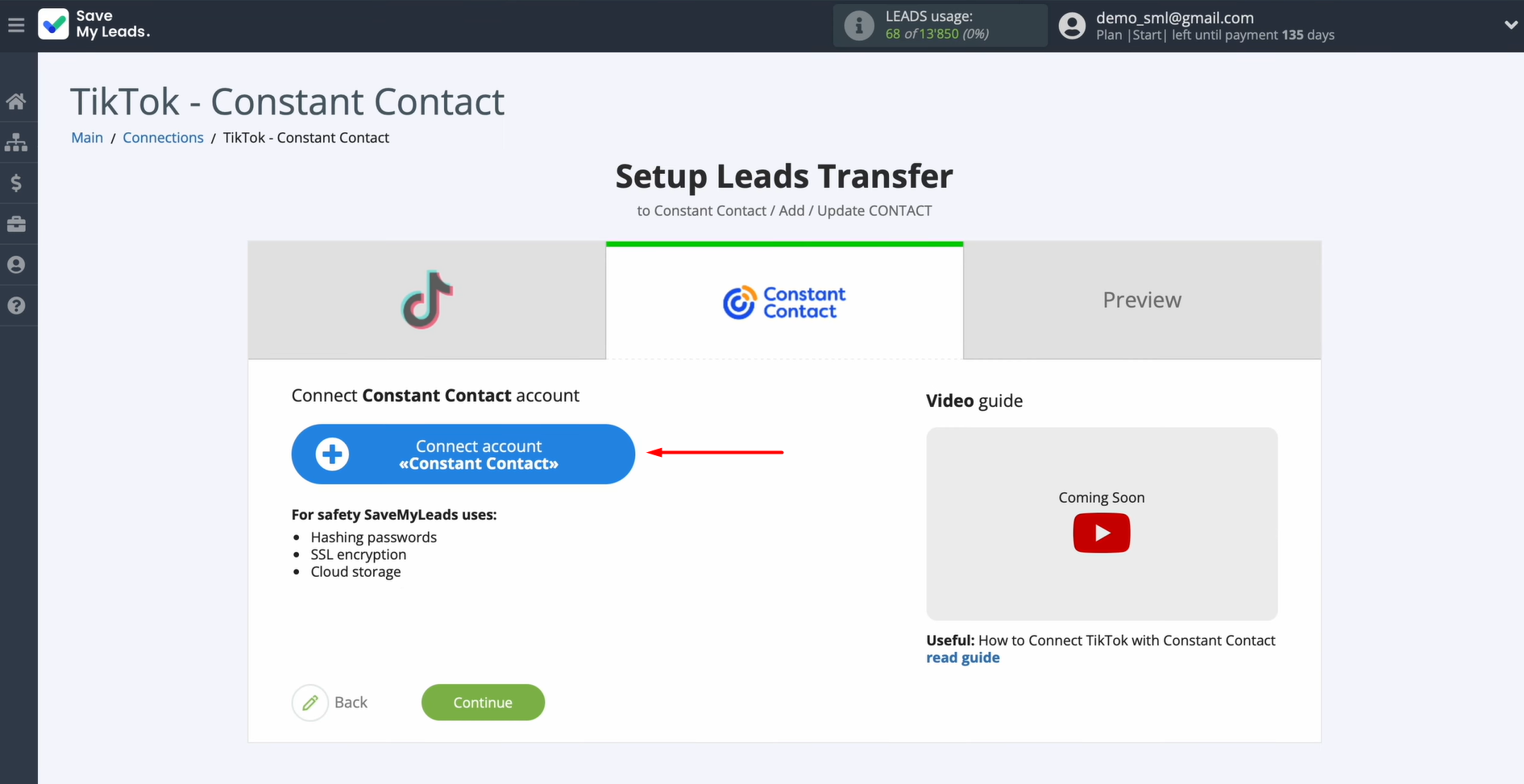
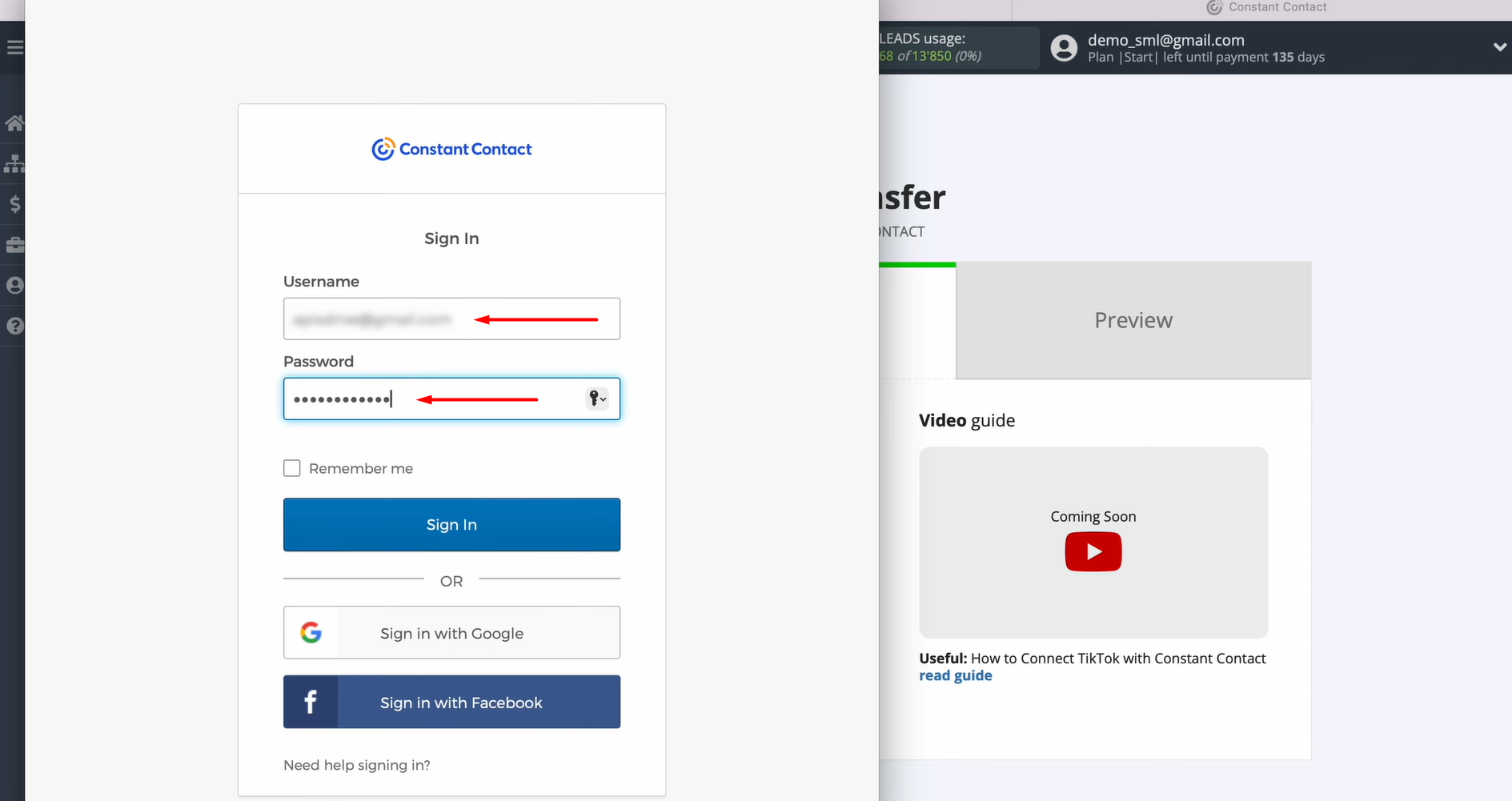
Specify the login and password of your Constant Contact account.
After the account shows up in the list, select it.
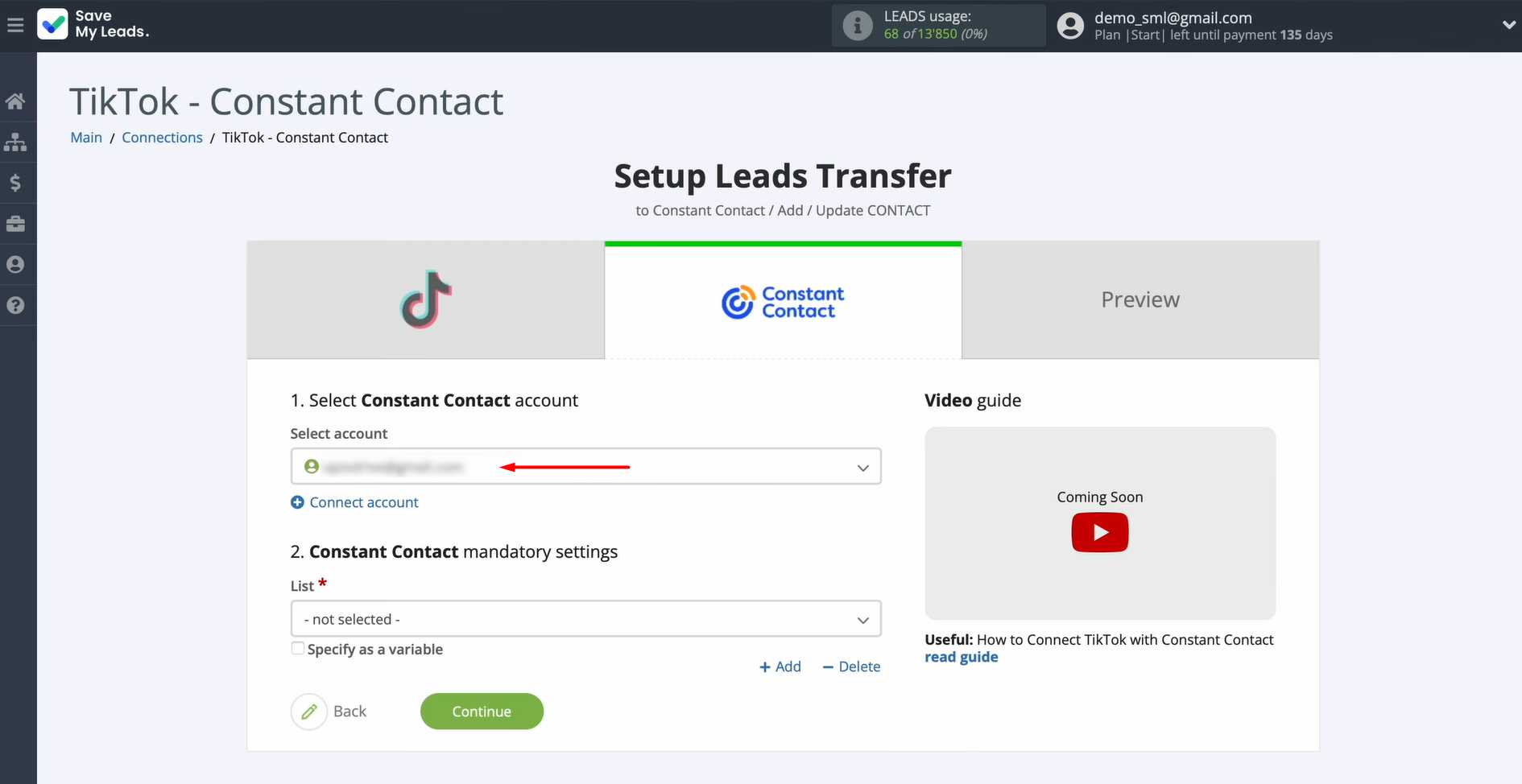
Specify the list where new contacts should be added.
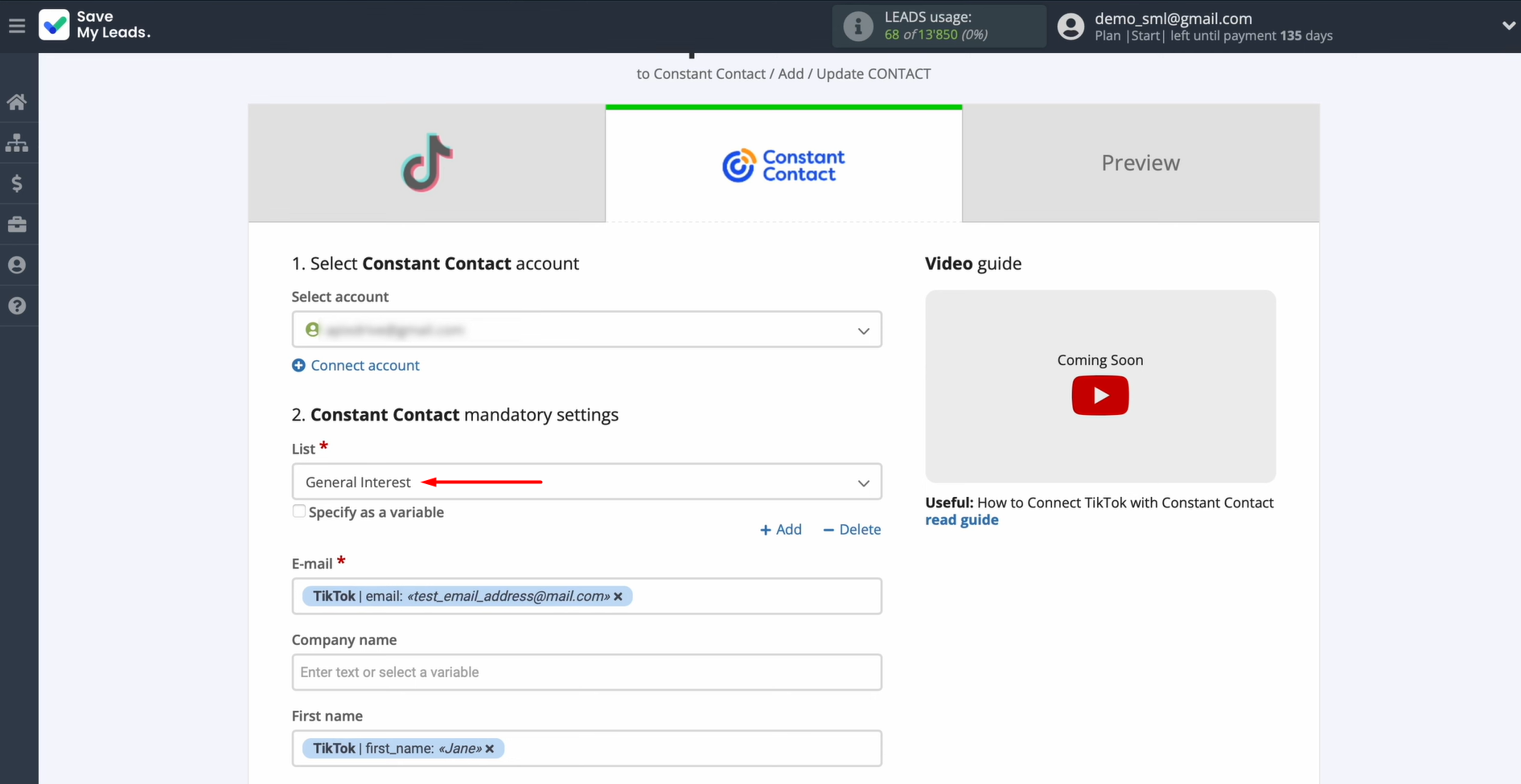
Now, you see the Constant Contact fields for creating new contacts. These fields allow you to map variables from TikTok. Click on a field and choose the appropriate variable from the dropdown.
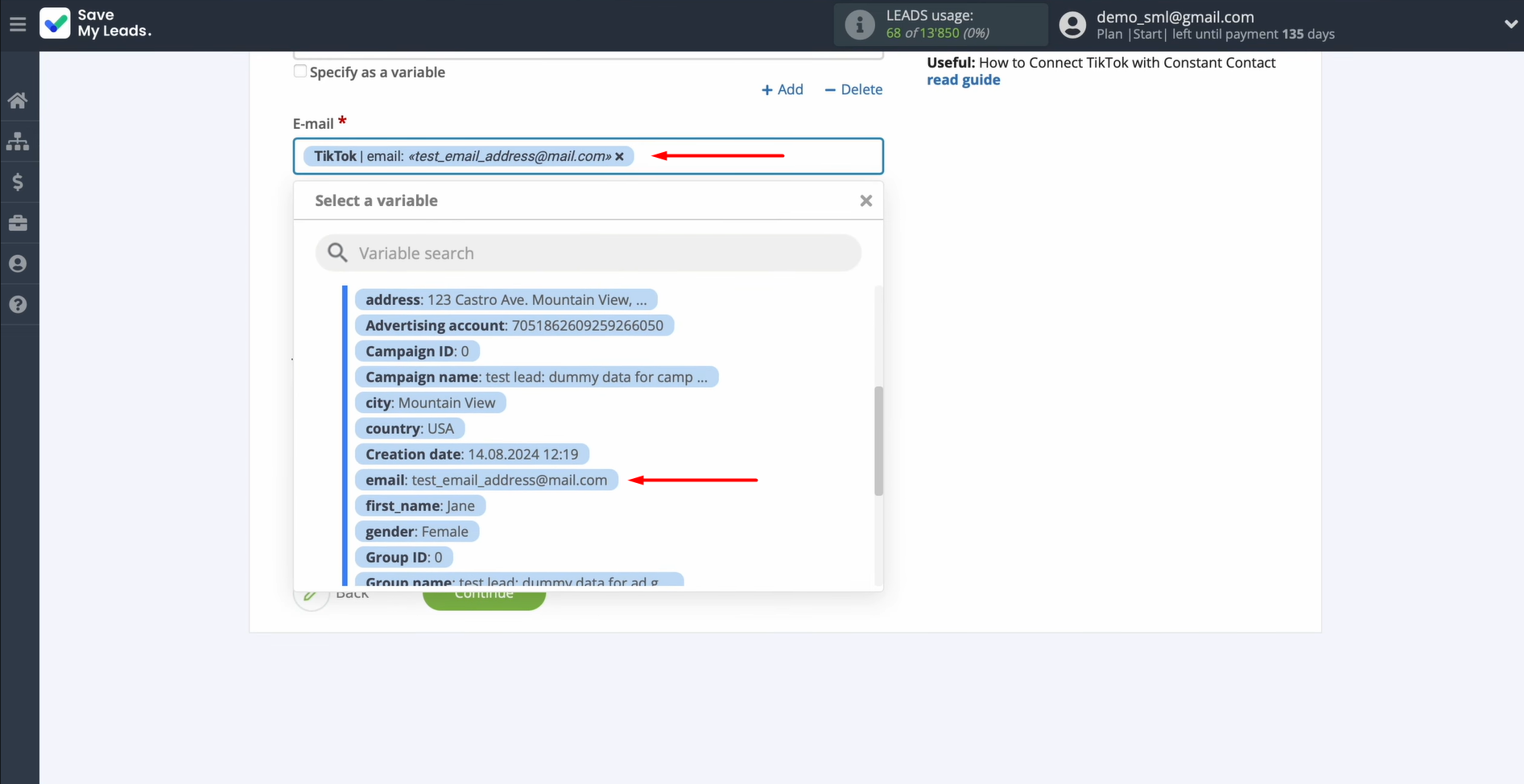
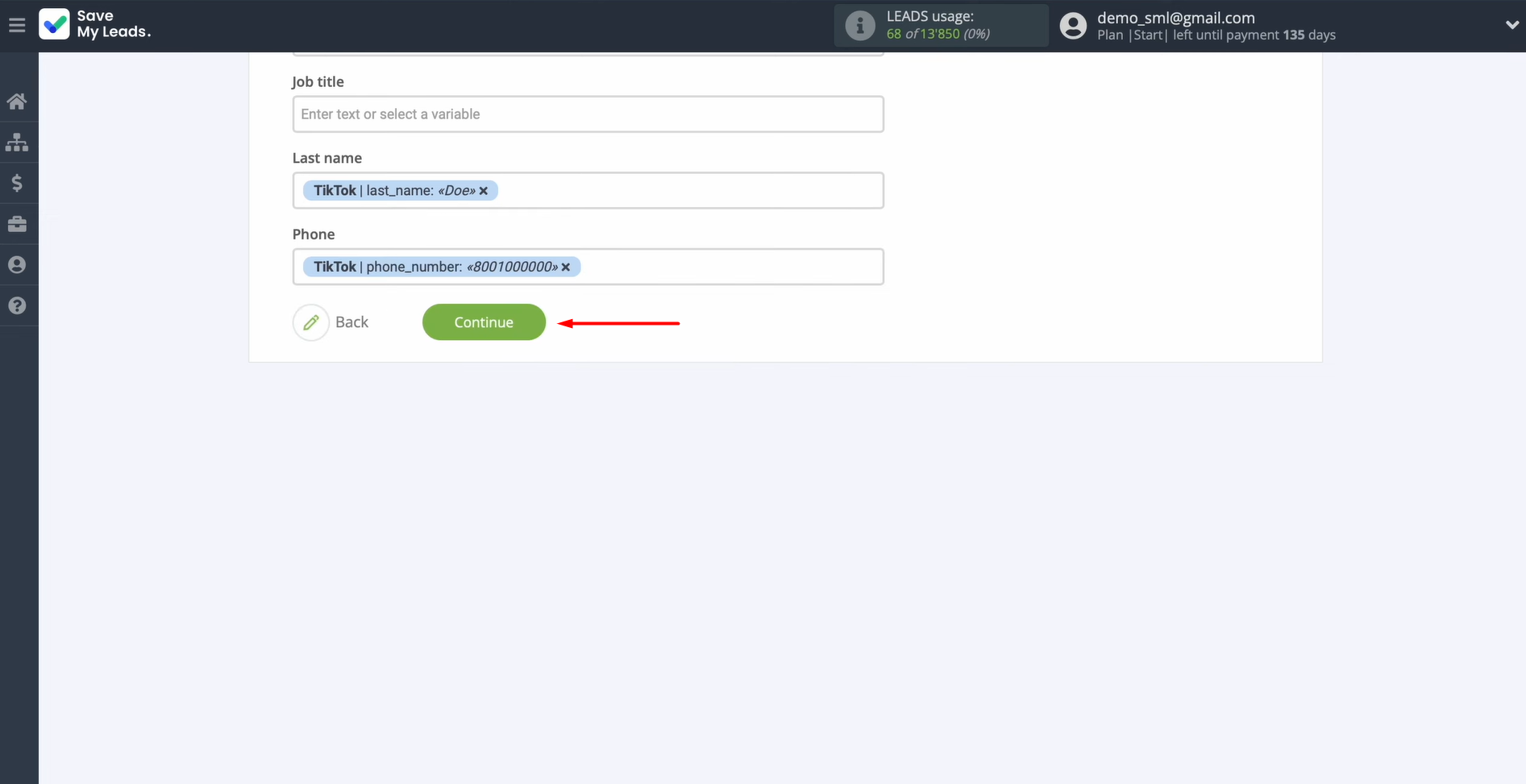
After the necessary variables are assigned, click Continue.
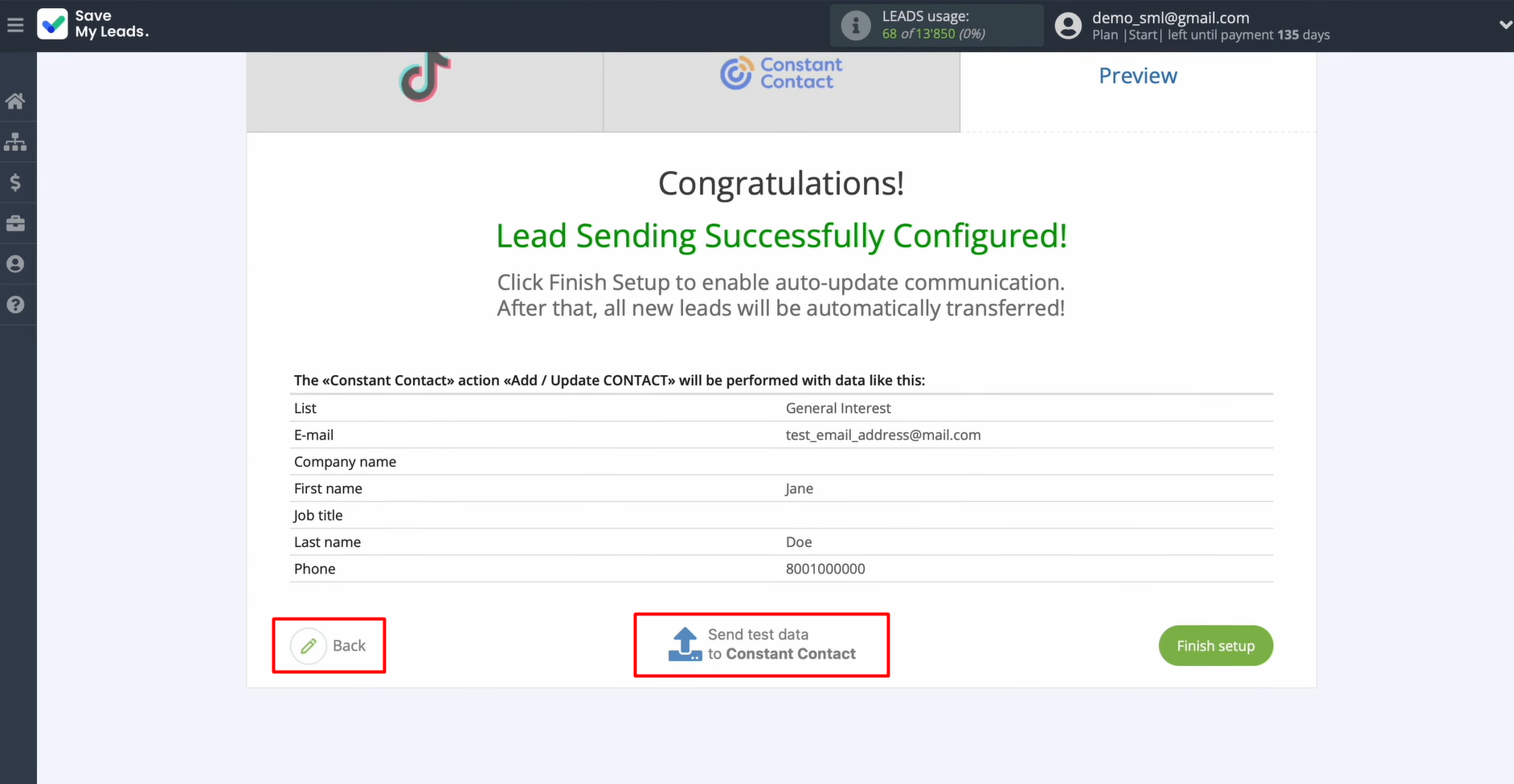
Now, you see an example of the data that will be sent to Constant Contact in the form of new contacts for each new lead from TikTok. If something doesn't suit you, click Back and you will go back a step. To check the correctness of the settings, send test data to Constant Contact.
After successful sending, go to Constant Contact and check the result.
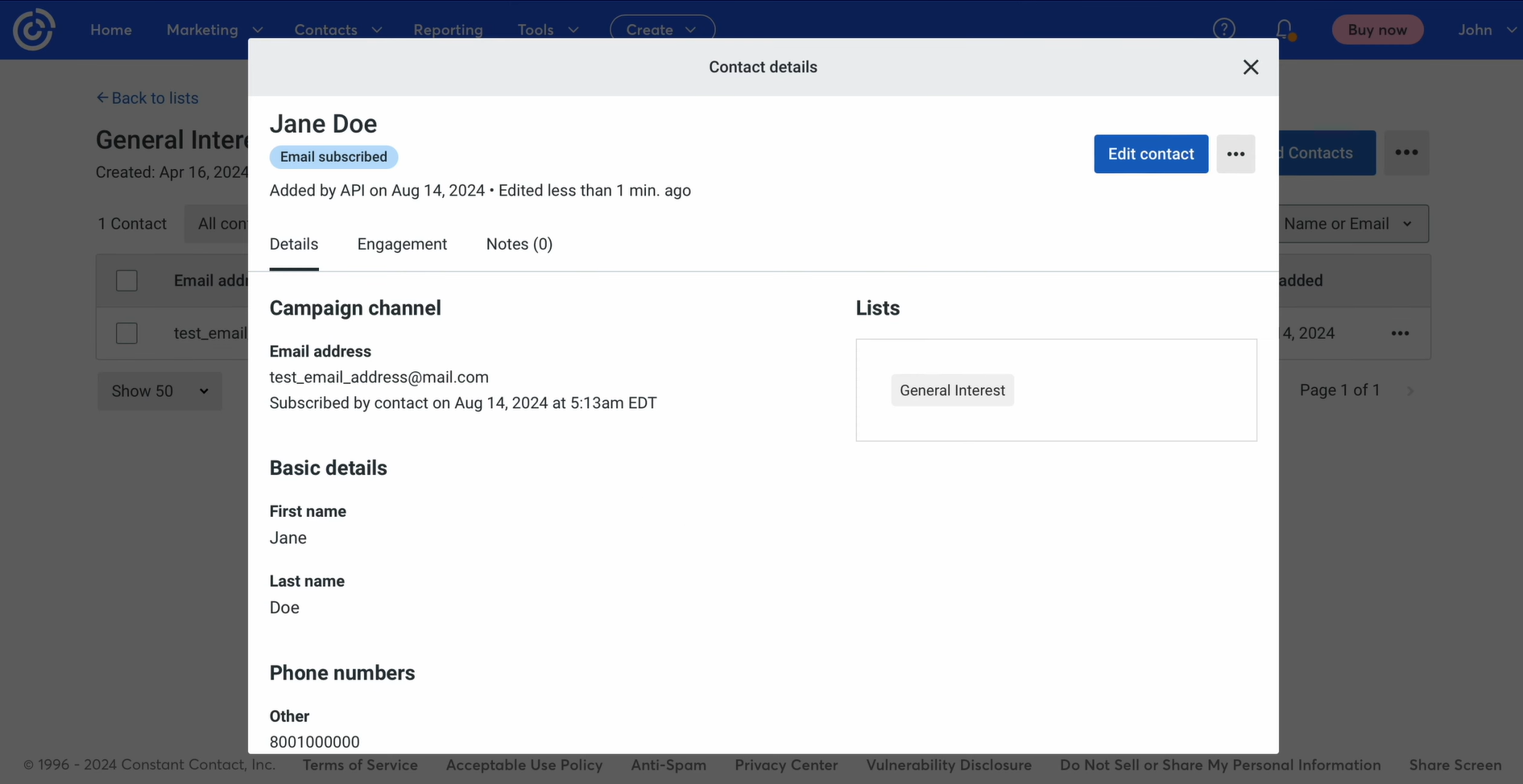
Then, return to SaveMyLeads and continue setting up.
Auto-Update Mode
Click Finish setup to activate automatic updates for the connection. In this case, all new leads from TikTok will be transferred to Constant Contact as new contacts.
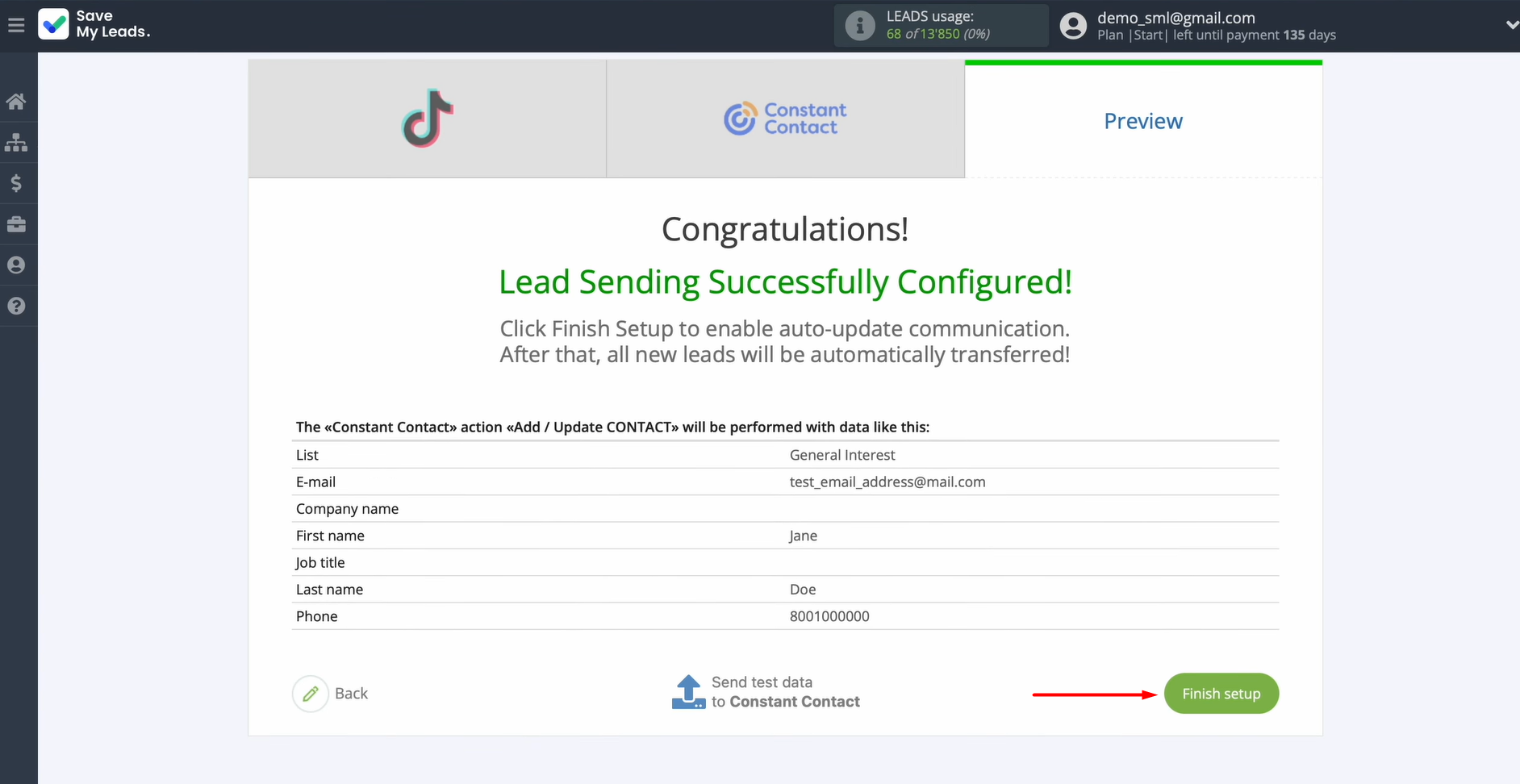
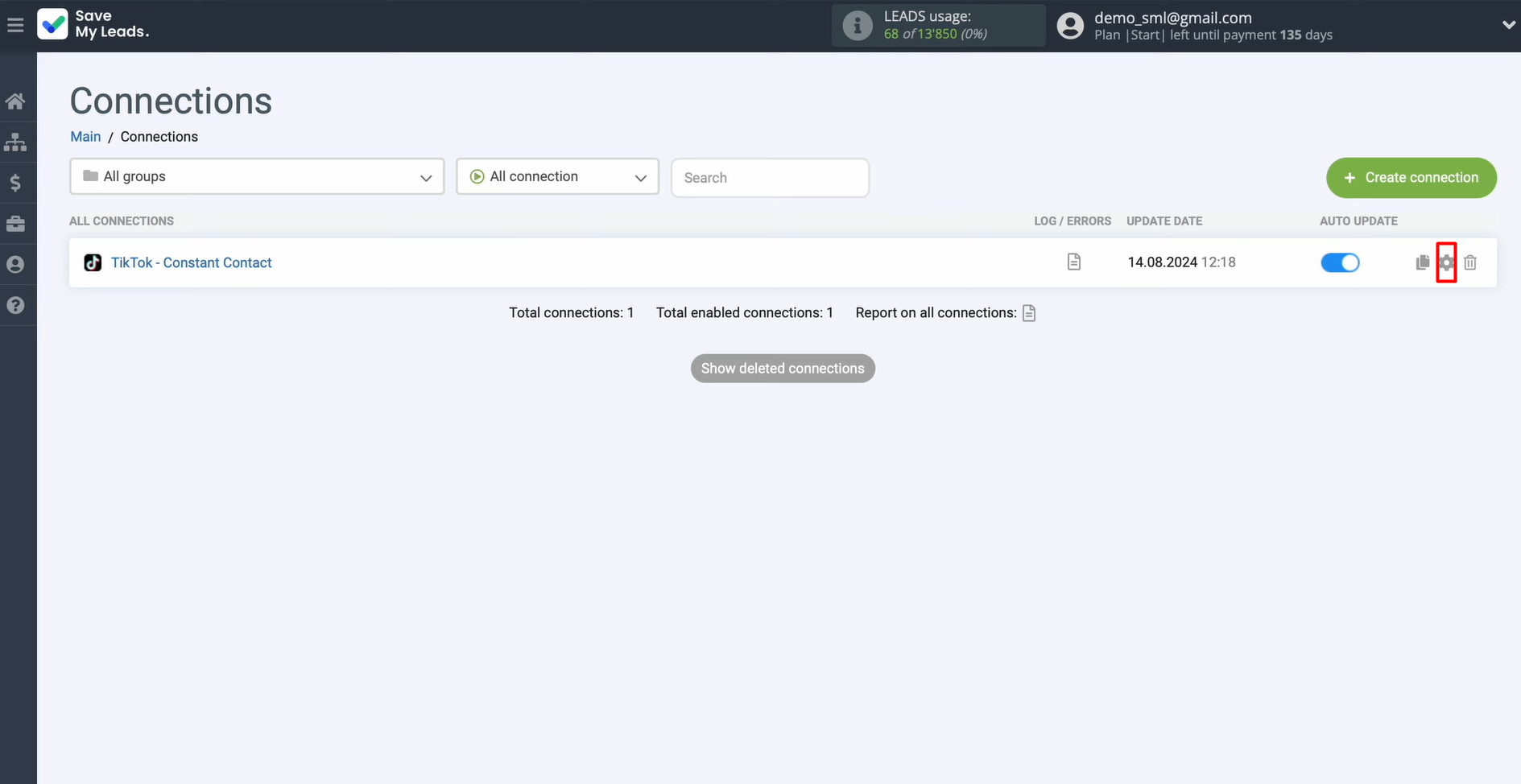
You can rename the connection later in the settings if needed. To do this, click the gear icon.
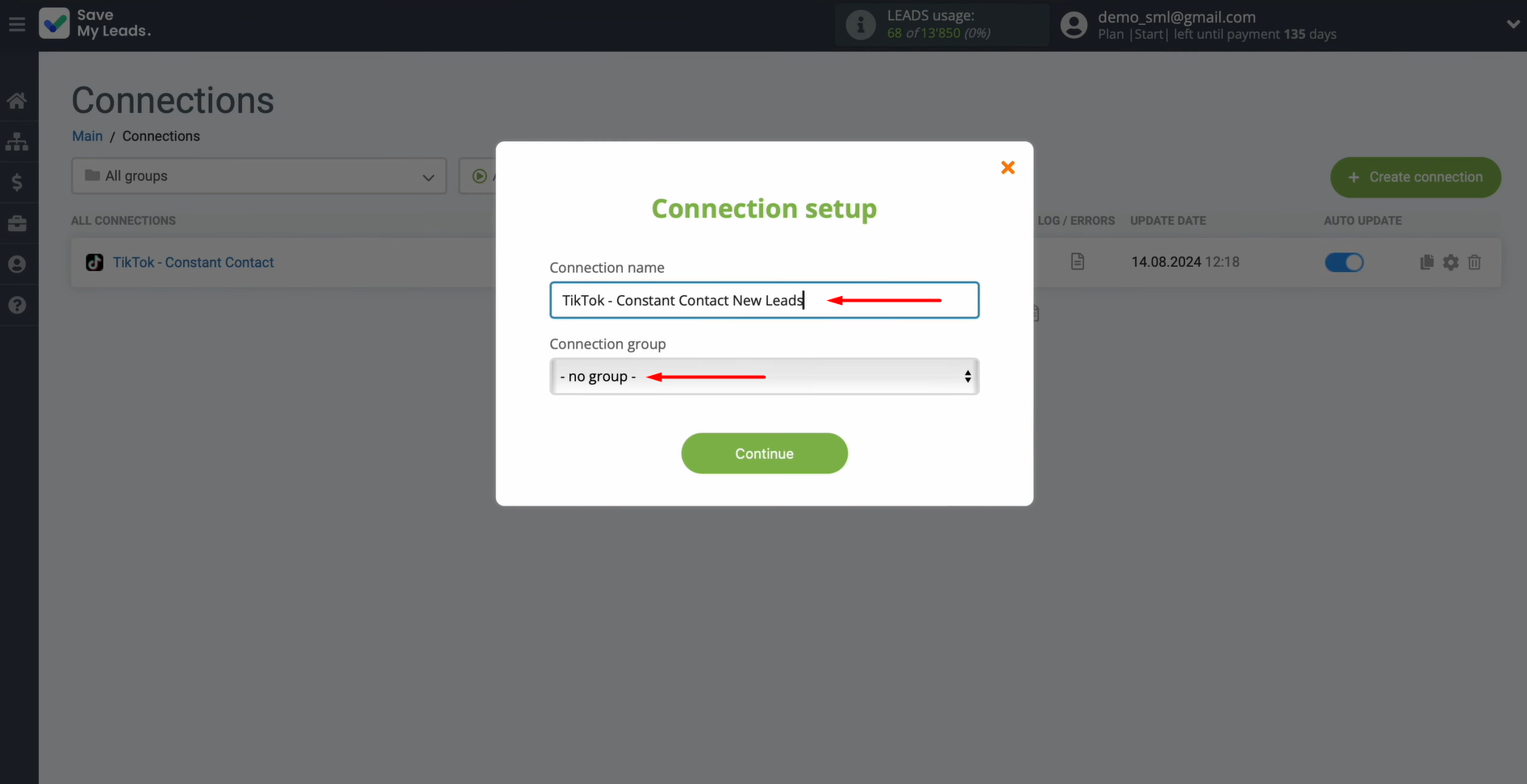
You can update the connection name and assign it to a group.
That's all. Constant Contact integration with TikTok is running.
Conclusion
TikTok integration with Constant Contact is an effective tool that helps businesses work with new leads much faster. The inquiries are automatically transformed into ready-made contacts for email marketing. Significant delays and errors associated with the influence of the human factor are a thing of the past. Such automation allows companies to respond more quickly to potential clients and scale their processes efficiently.
The SaveMyLeads connector makes setting up this integration as simple as possible and accessible even to non-technical people. By using it to connect TikTok to Constant Contact, you’ll start seeing the first results of your automation shortly after leads submit forms.
Step-by-Step Guides for Setting Up Integrations:
- TikTok and Slack Integration: Automatically Sending Channel Notifications
- Google Lead Form and Asana Integration: Automatic Data Transfer
- TikTok and Trello Integration: Automatic Conversion of New Leads into Tasks
- Seamless Integration of Google Lead Form Ads and Freshworks
- How to Connect TikTok to Twilio: Step-by-Step Instructions